Sensor calibration
Contents
What you will need
A base station computer with QGroundControl installed
A Flight Controller with the Duckiedrone parameters loaded: Configuring the Flight Controller
A data-capable USB-A-to-USB-C cable and any required adapter
A level surface
What you will get
A Flight Controller with a calibrated gyroscope, accelerometer, and level horizon
Sensor calibration#
The Flight Controller estimates the attitude of the Duckiedrone from its gyroscope and accelerometer. The Duckietown parameter file deliberately contains no calibration values, because they belong to one specific board, so these sensors must be calibrated on the actual Flight Controller before the first flight.
Danger
Remove the propellers before calibrating the Flight Controller.
Calibrate the sensors#
Connect QGroundControl to the Flight Controller over USB, as described in Connecting to the Flight Controller.
Open the Sensors section in QGroundControl.
Gyroscope: start the gyroscope calibration and leave the Duckiedrone still on a level surface until it completes.
Accelerometer: start the accelerometer calibration and hold the Duckiedrone in the six different orientations requested by the on-screen prompts.
Level Horizon: leave the Duckiedrone still on a level surface until this completes.
Checkpoint ✅#
To verify that the calibrations completed:
Test
Open the summary page of QGroundControl.
Expected Result
The Sensors section is green, as in the figure below.
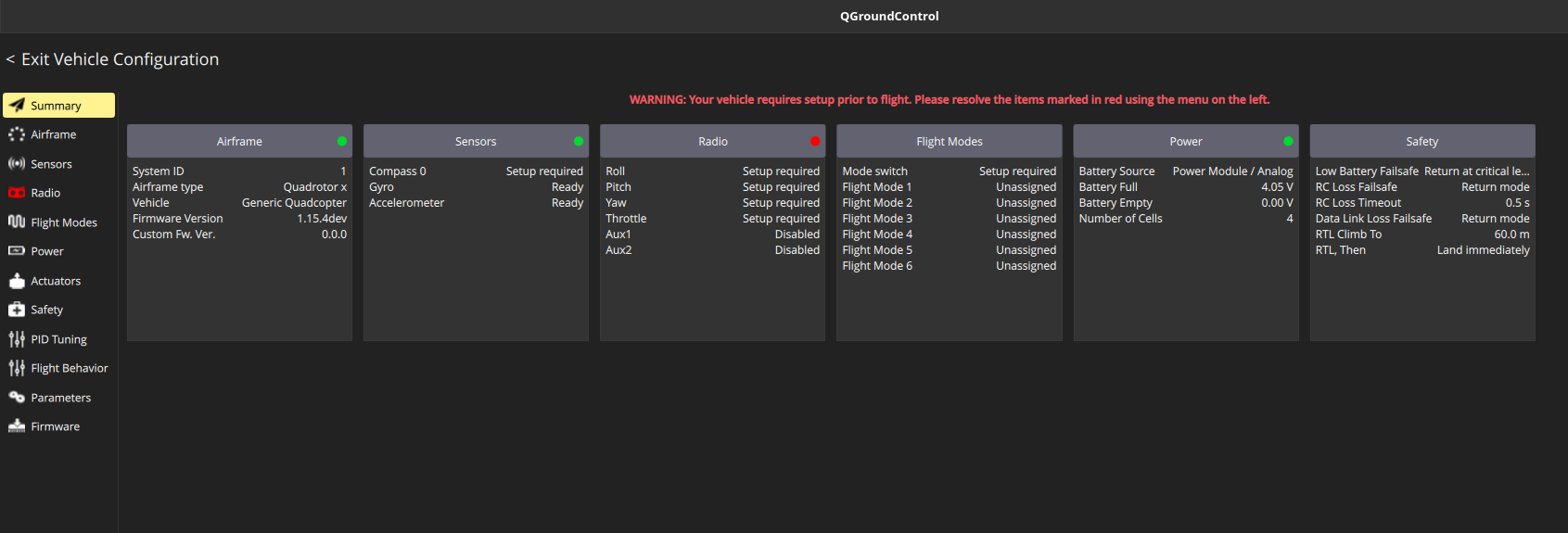
Fig. 65 QGroundControl summary page after the sensor calibrations complete.#
Recalibrating later#
The gyroscope and level-horizon calibrations can be repeated later without QGroundControl, with the GYRO and LEVEL buttons of the IMU - Orientation widget on the Dashboard: see Dashboard overview.
Next step#
Continue to Motor configuration.