
Simulation and the Duckiematrix
Contents
Simulation and the Duckiematrix#
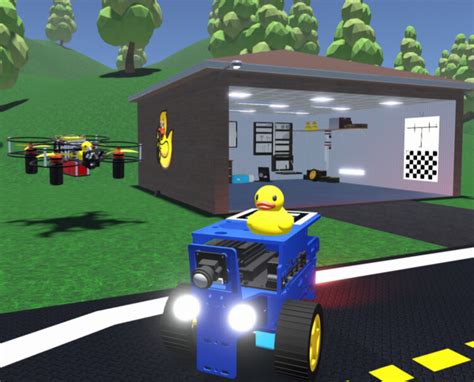
Fig. 2 Welcome to the Duckiematrix, where simulation and reality are blurred!#
The Duckiematrix is a Unity-based virtual environment for Duckietown supporting digital twins of Duckietown robots.
Its purpose is to simulate the physics and aesthetics of a physical Duckietown environment, as well as the sensing and acting capabilities of Duckietown robots within that environment through virtual Duckiebots and Duckiedrones.
Despite simulation never exactly matching reality, from a functionality standpoint virtual and physical Duckietown robots are equivalent, i.e., you can expect to interact with both in the same way.
Duckiematrix typical workflow#
Before proceeding, it is worth knowing that, at a high level, the Duckiematrix is composed of two main components:
The Engine simulates the movement (kinematics and dynamics) of Duckiematrix Entities in the simulated world. You can imagine this as “the world”.
The Renderer which produces the visualization of the world and is used to simulate the sensors (in particular the camera).
Although not all steps are always necessary, and some can be conflated in unified commands, the typical Duckiematrix workflow is:
Create the world: start the Engine by providing information on the map and Duckiematrix Entities (e.g., duckiebots, duckiedrones, traffic lights, etc.) that inhabit it;
Observe the world: start a Renderer and connect it to the Engine to “see” the world. Note that (a) there can be multiple (or no) Renderers for the same world; (b) the Renderer and Engine can but do not need to be running on the same computer.
Attach robots to Duckiematrix Entities: the Duckiematrix Entities that inhabit the world at creation are just simulacri, or forms of robots. To give them substance (i.e., an actual agent), attach one or more robots to one or more Duckiematrix Entities. Note that robots attached to the Duckiematrix can be virtual, or physical.
See also
Additional details can be found in the developer section of this manual.