Assembly - Traffic Light DT21-TL#

What you will need

What you will get

  • An assembled traffic light in configuration DT21-TL or previous legacy versions.

Part 1: Preliminaries and Part Overview#

Each picture in the assembly guide includes a small yellow box in the top-left corner. This box indicates the parts required for that step.

Note

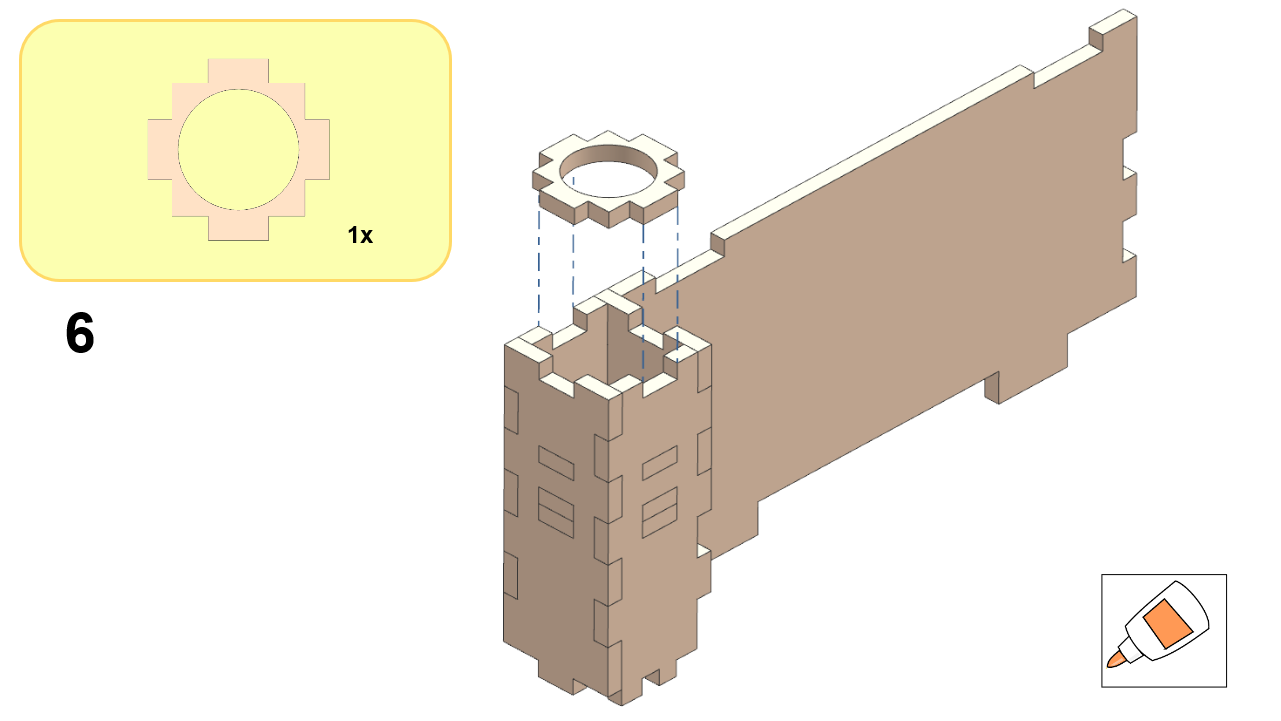
If a glue icon appears in the yellow box, it means some parts will be permanently connected, regardless of whether you are building a Watchtower (WT) or a Traffic Light (TL). While actual glue might not be necessary, we recommend a rigid connection for stability.

Part 2: Ground Structure#

Follow the steps illustrated in the images below to assemble the ground structure:
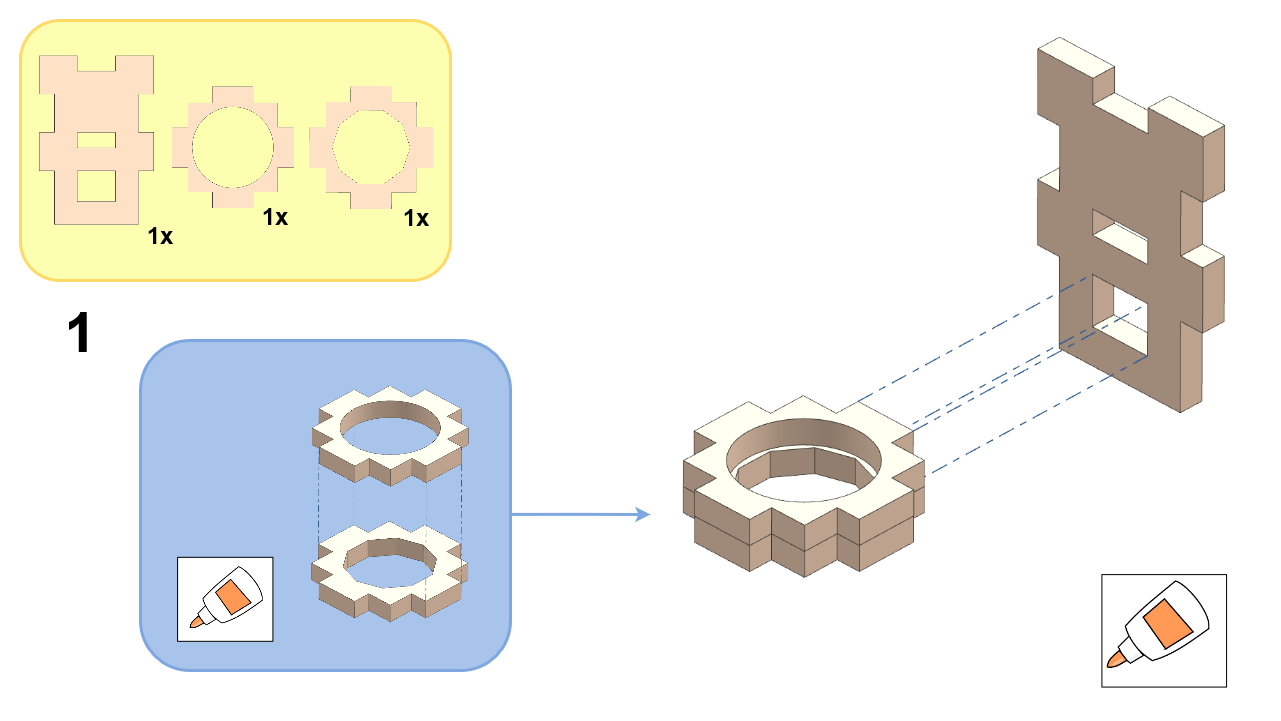
DT21 traffic light assembly, step 1.
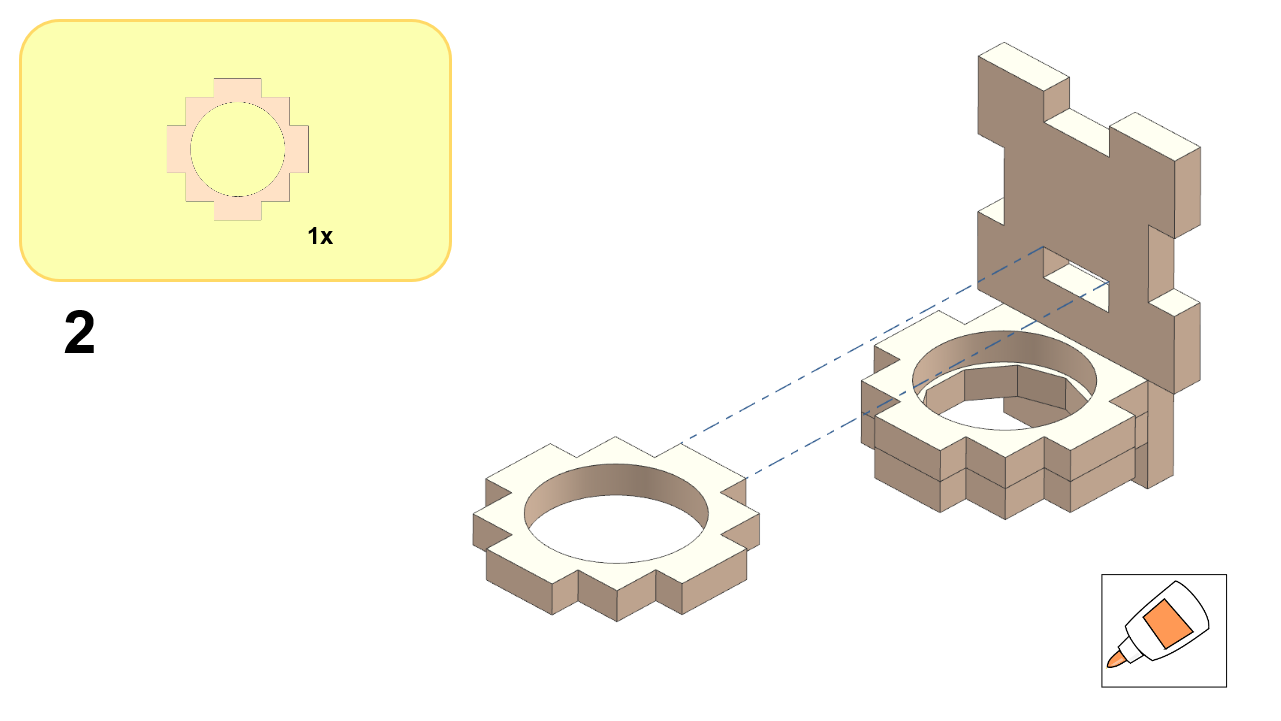
DT21 traffic light assembly, step 2.
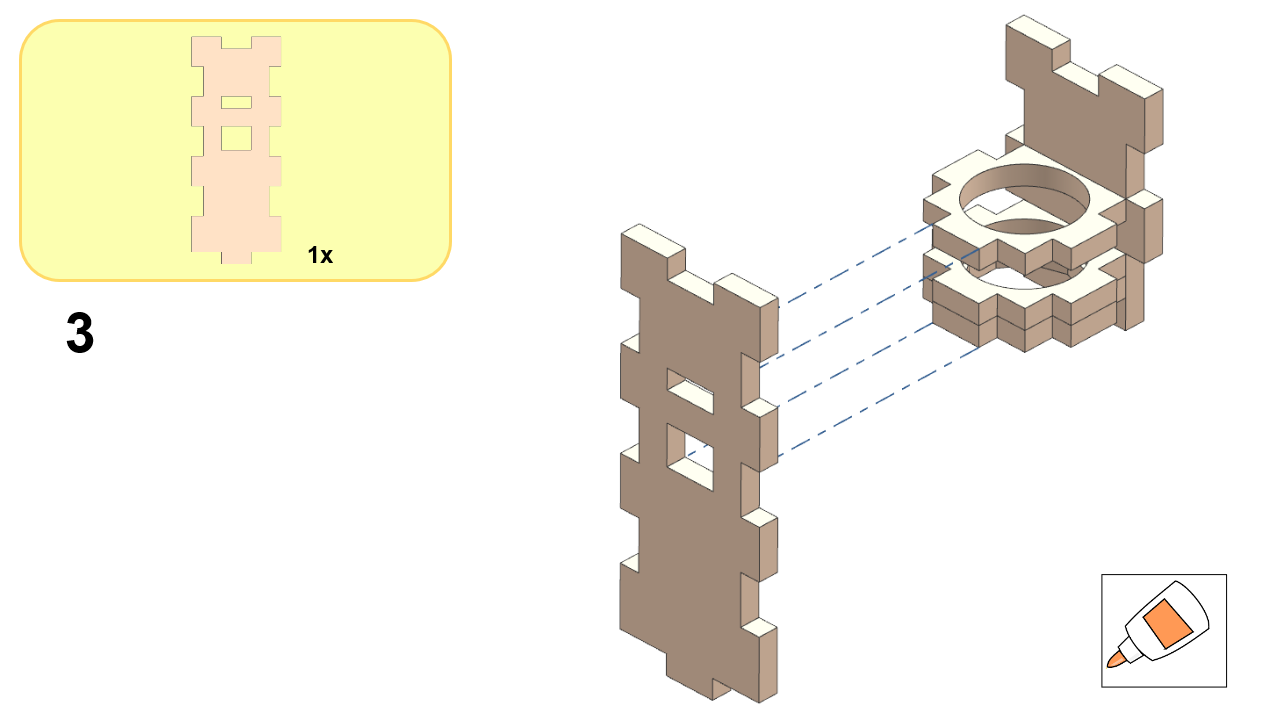
DT21 traffic light assembly, step 3.
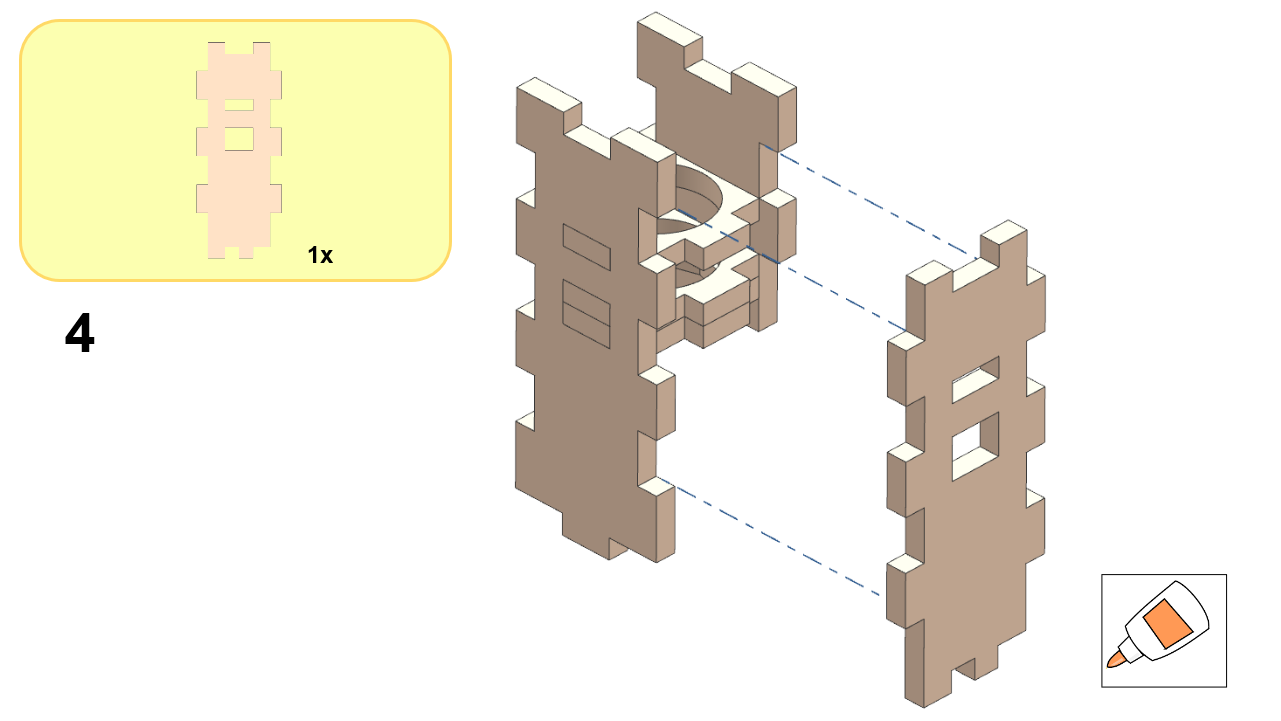
DT21 traffic light assembly, step 4.
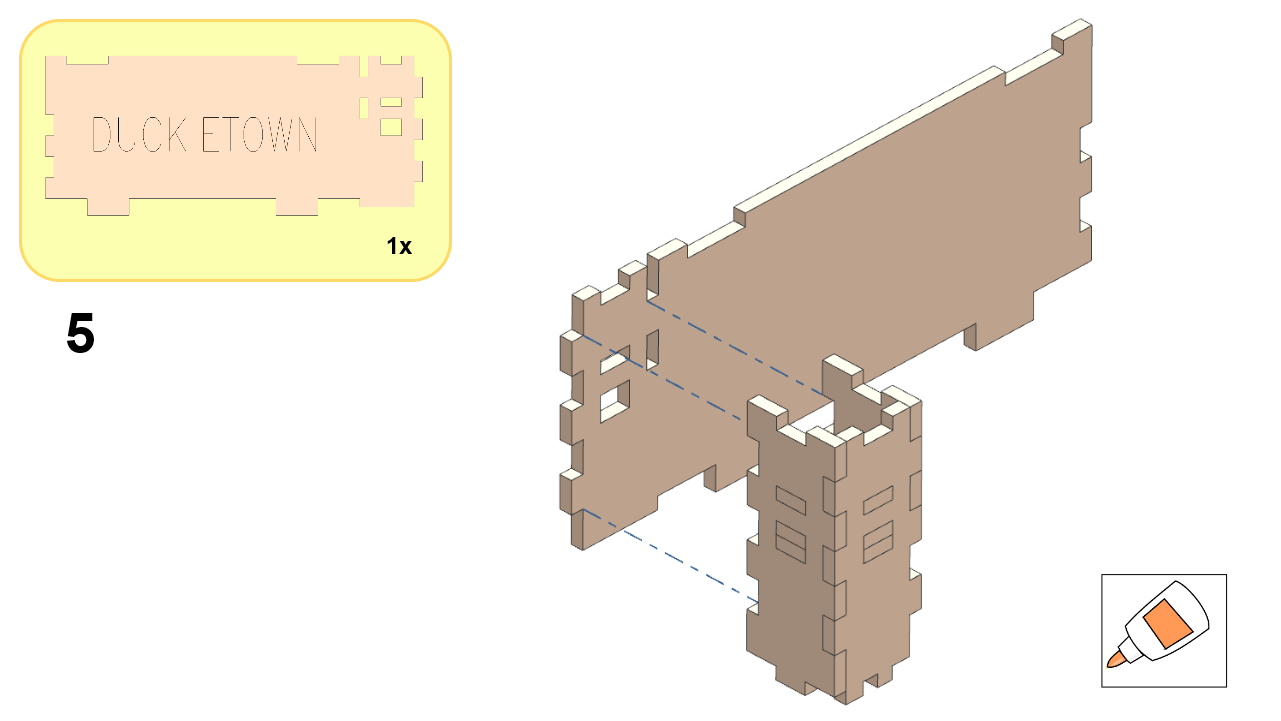
DT21 traffic light assembly, step 5.
DT21 traffic light assembly, step 6.
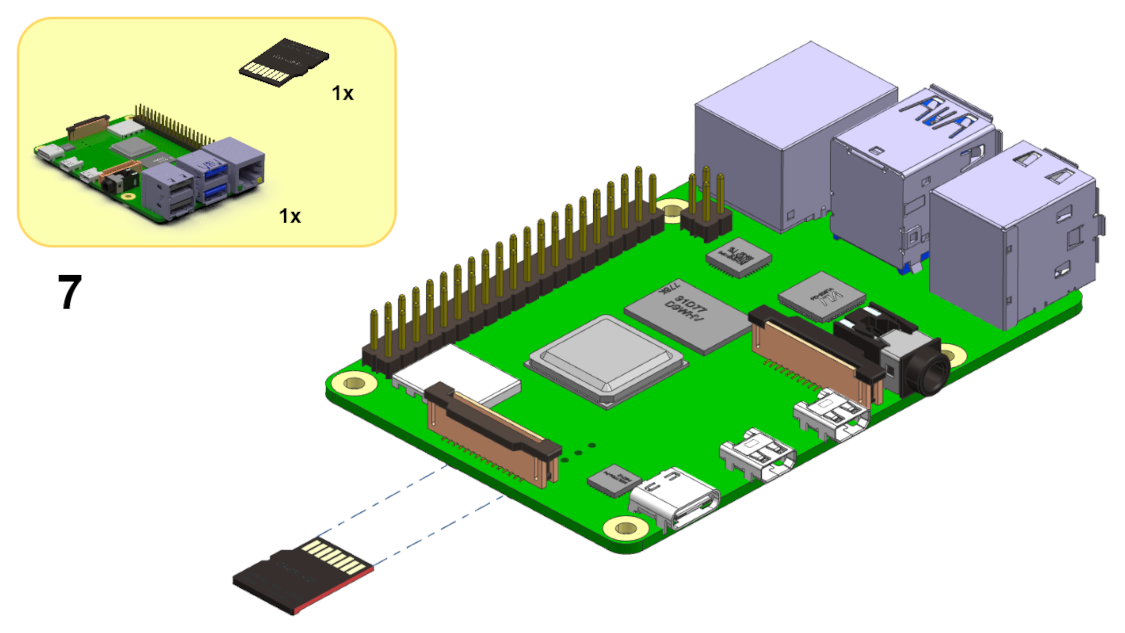
DT21 traffic light assembly, step 7.
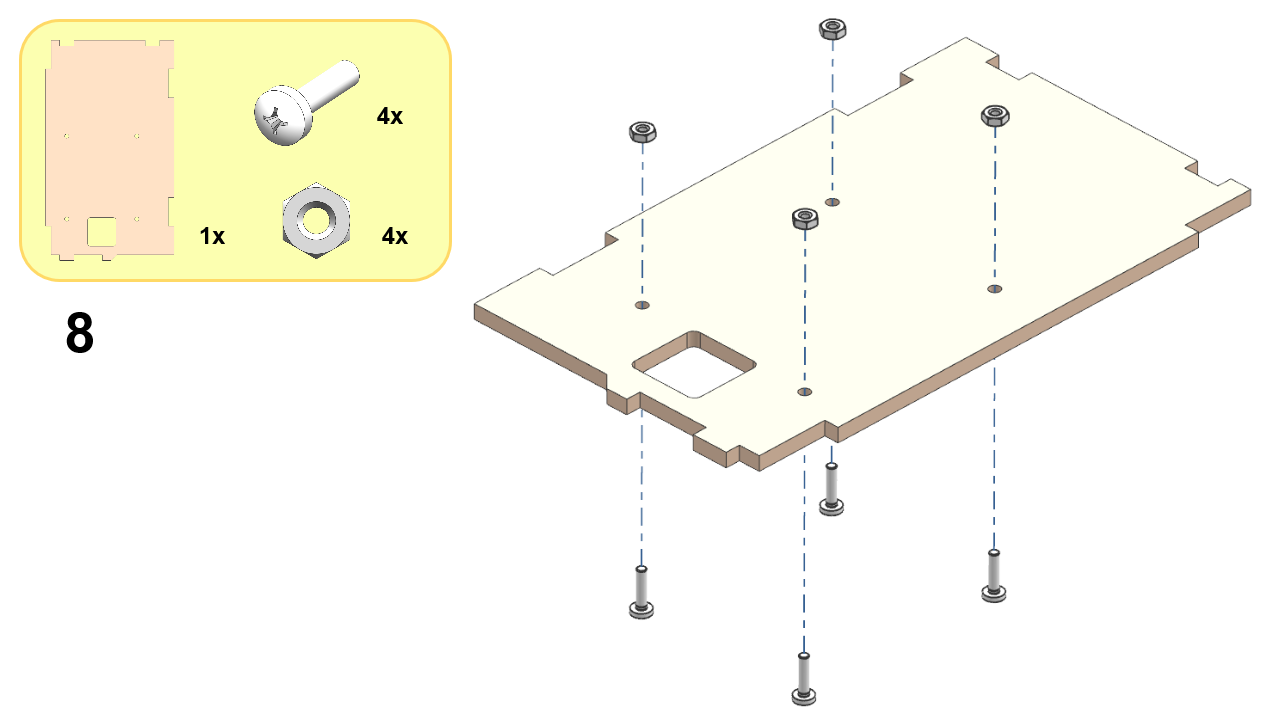
DT21 traffic light assembly, step 8.
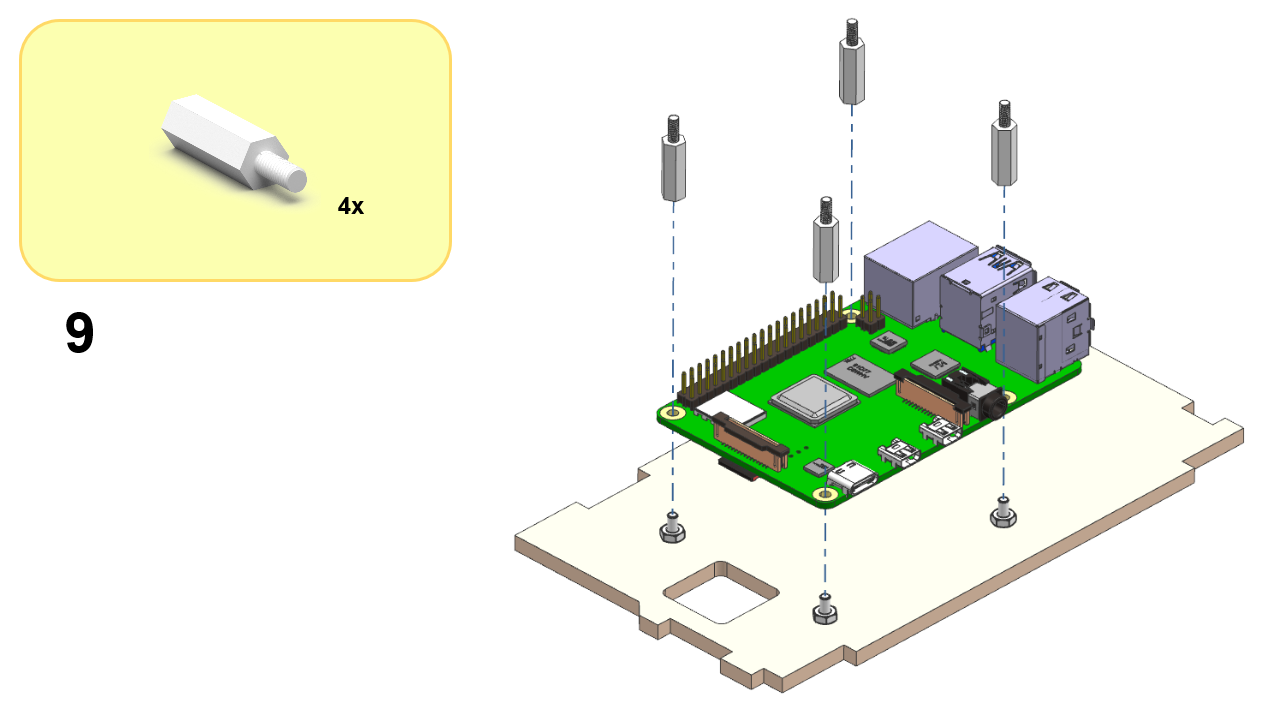
DT21 traffic light assembly, step 9.
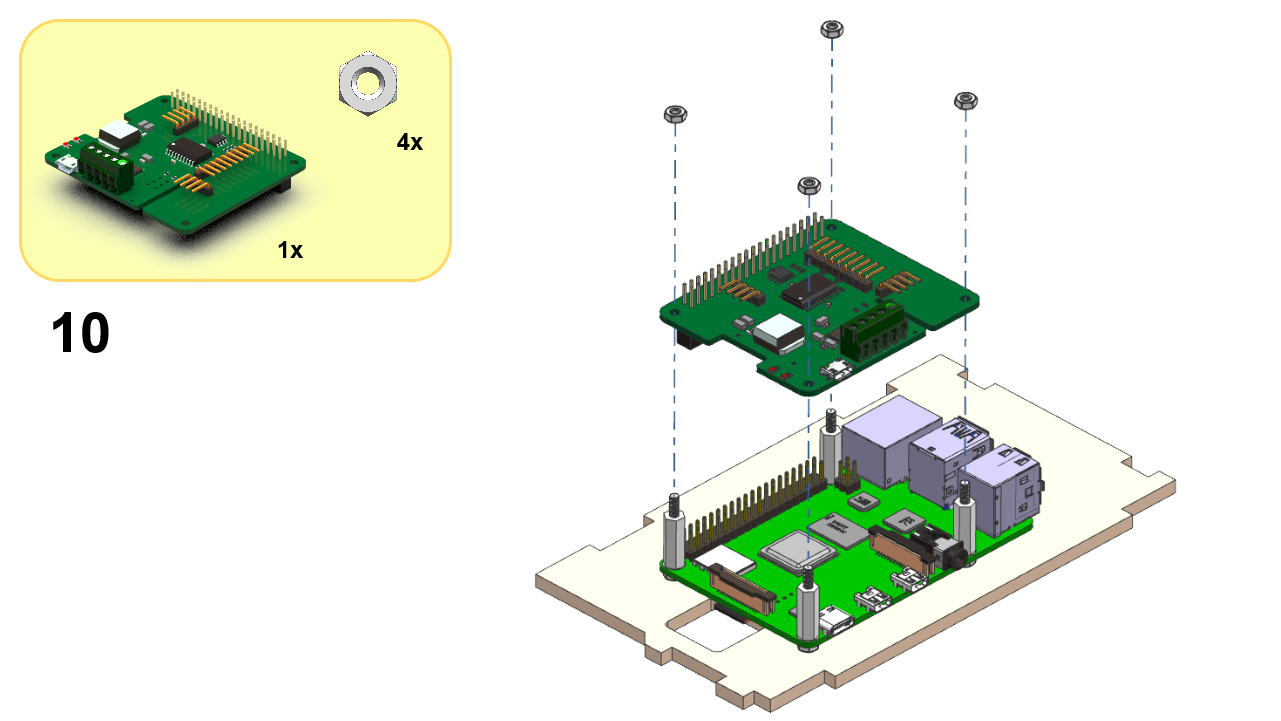
DT21 traffic light assembly, step 10.
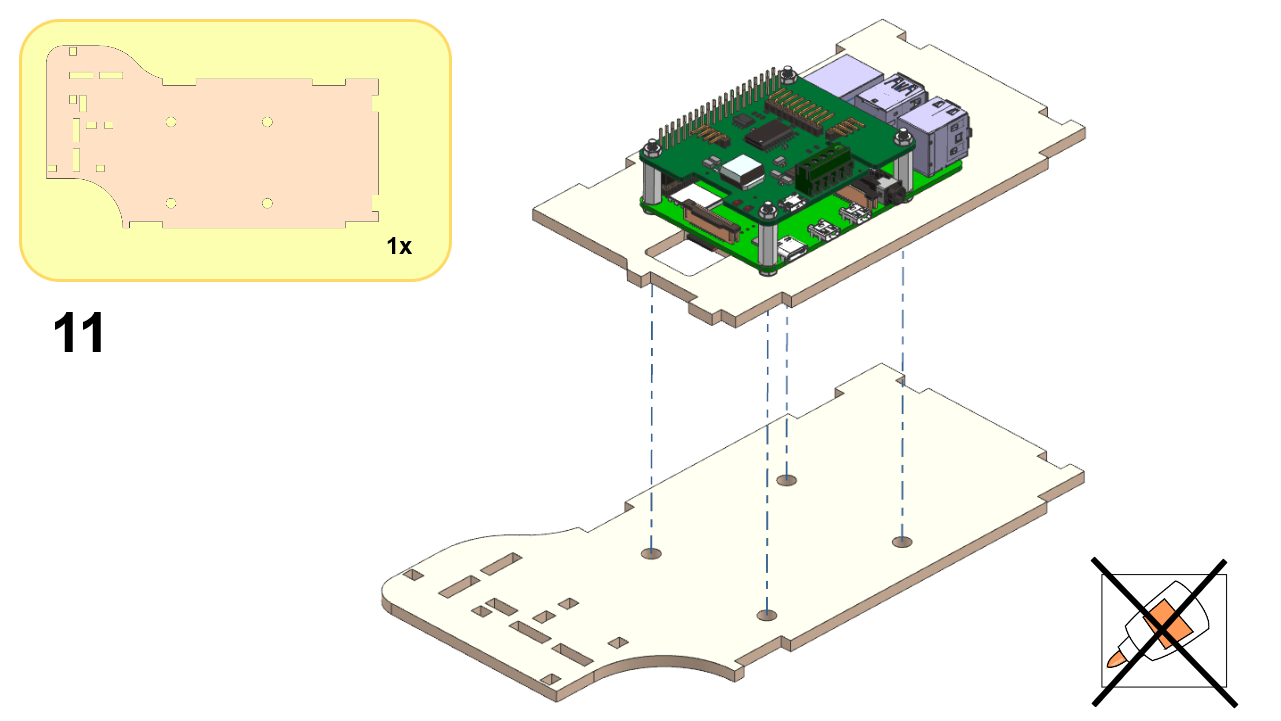
DT21 traffic light assembly, step 11.
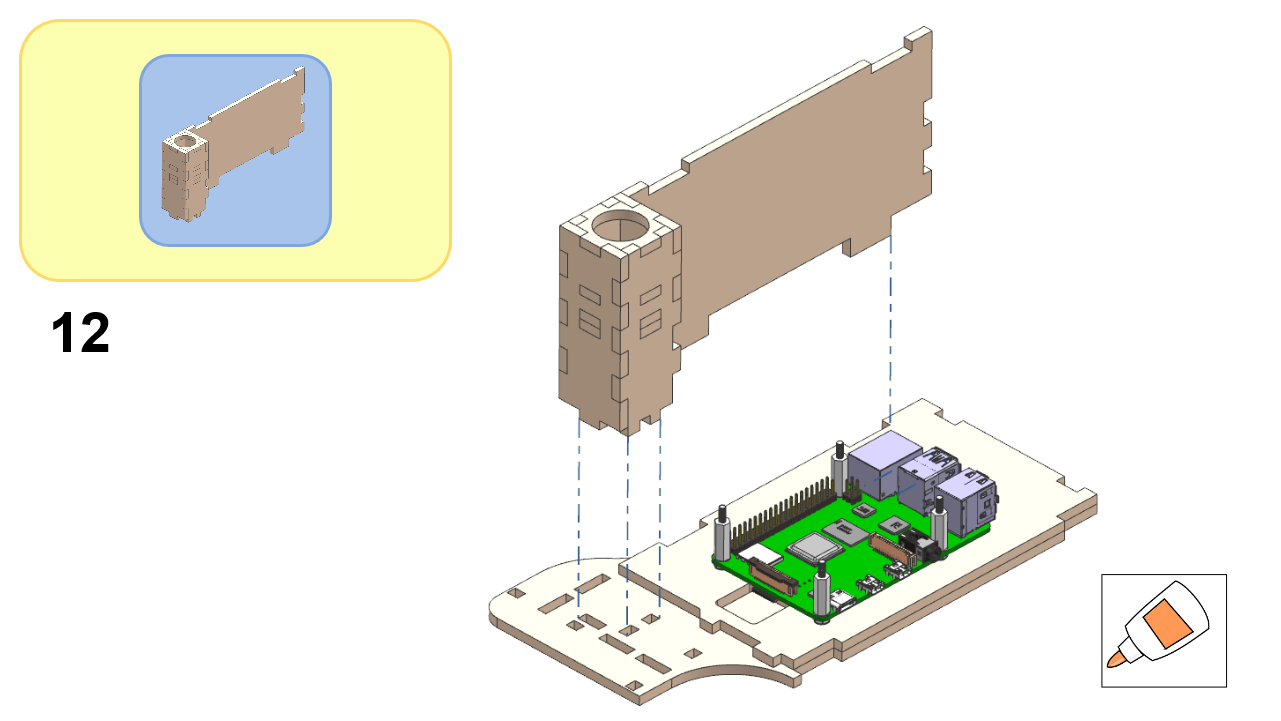
DT21 traffic light assembly, step 12.
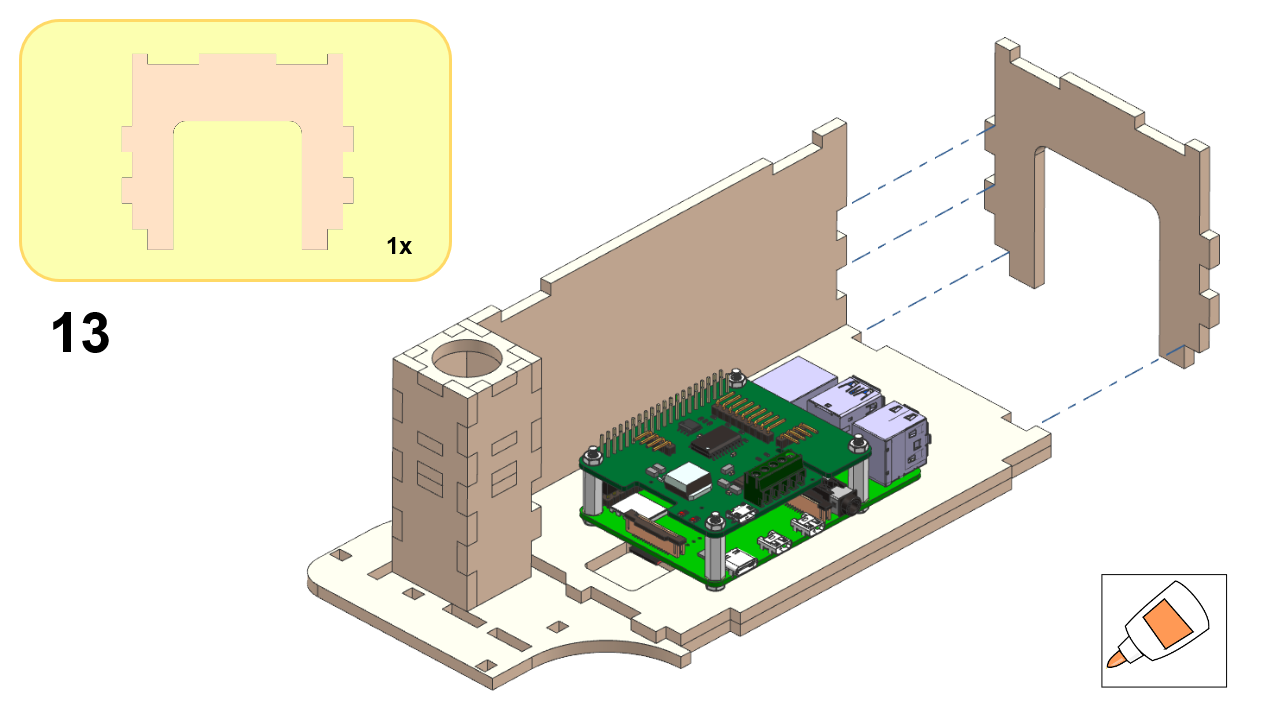
DT21 traffic light assembly, step 13.
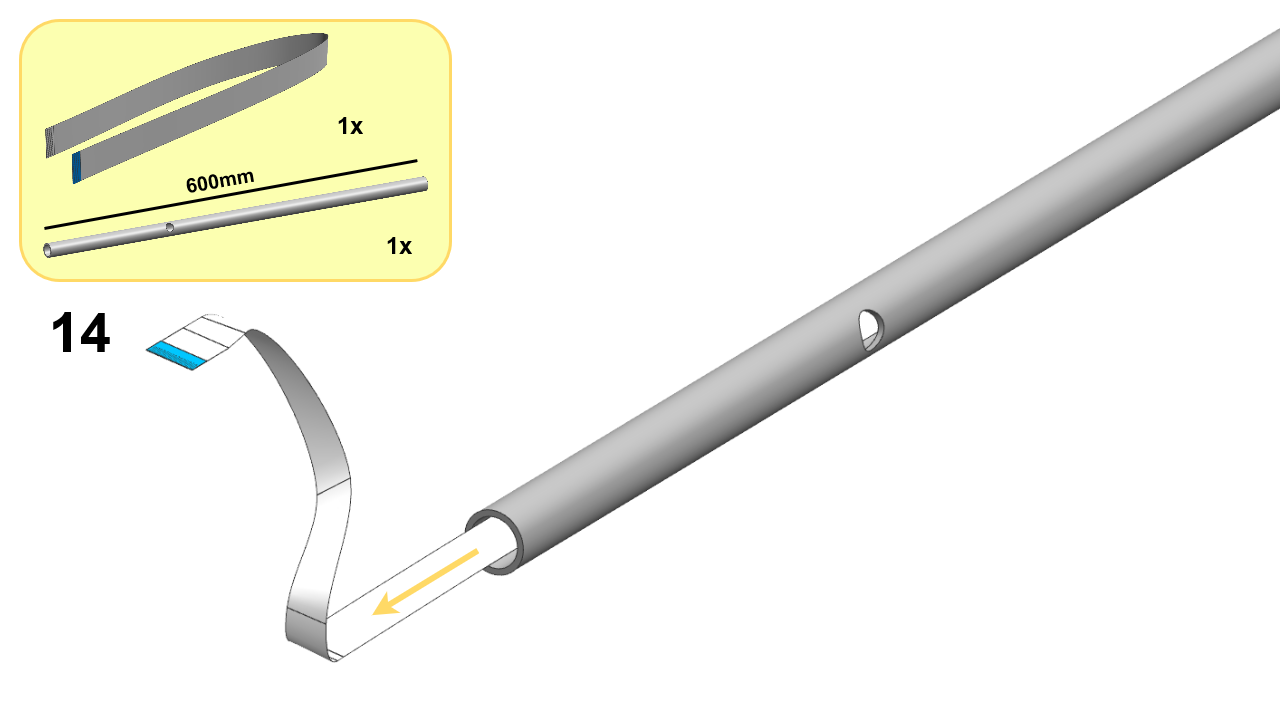
DT21 traffic light assembly, step 14.
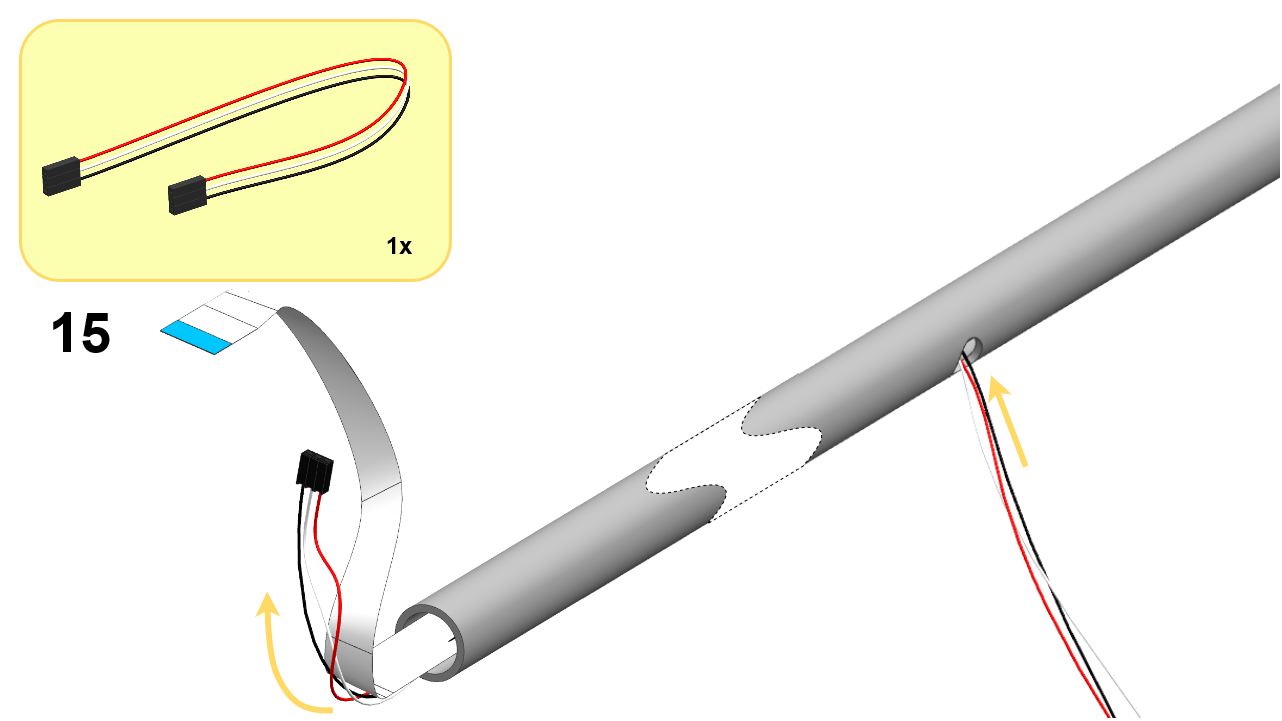
DT21 traffic light assembly, step 15.
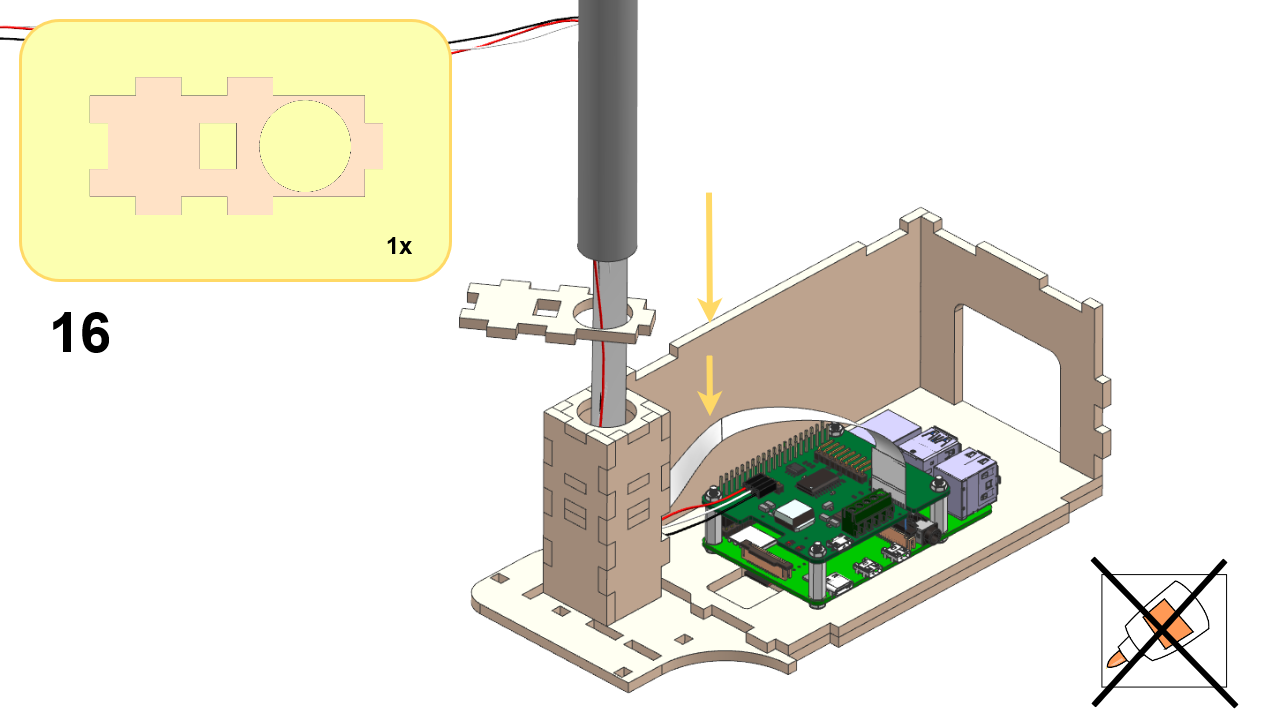
DT21 traffic light assembly, step 16.
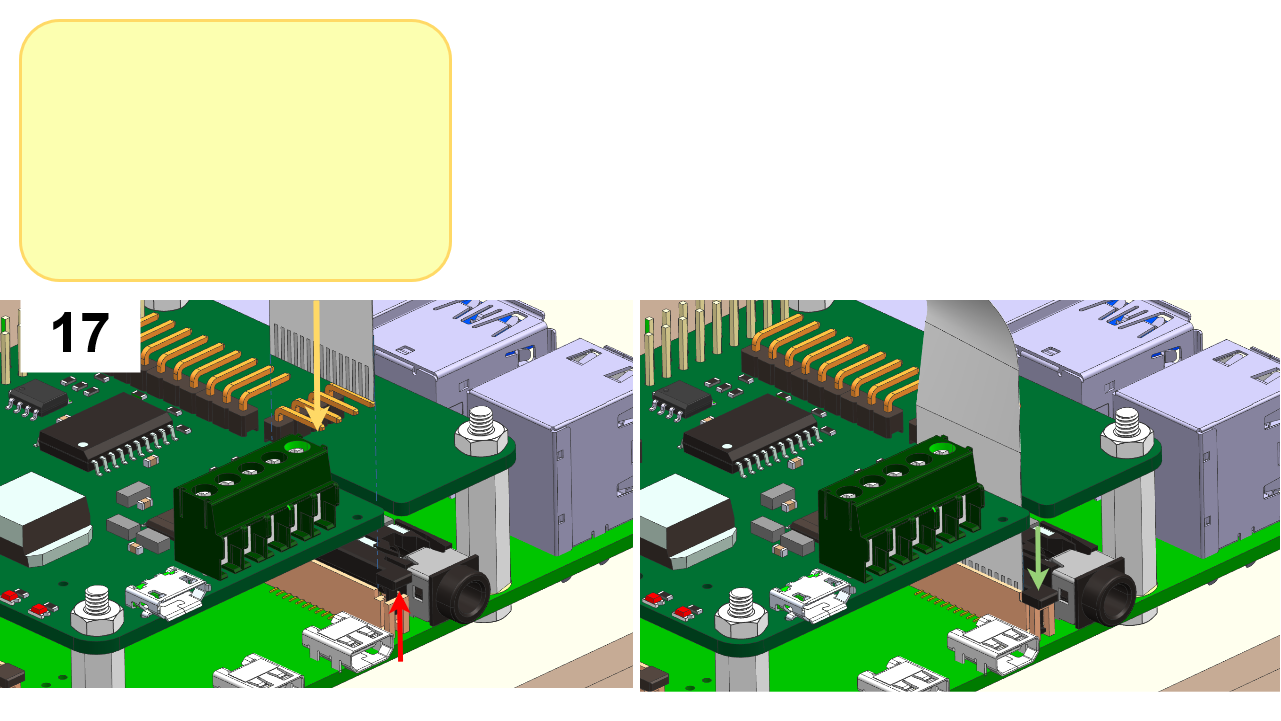
DT21 traffic light assembly, step 17.
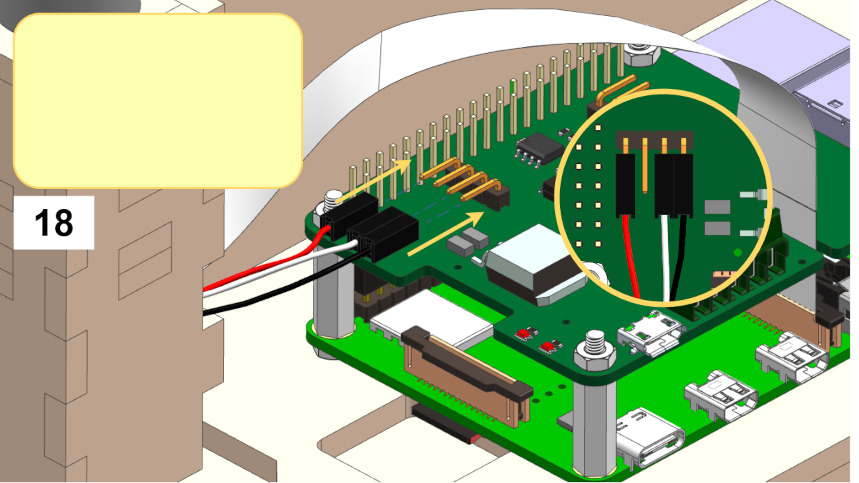
DT21 traffic light assembly, step 18.

Note

Make sure to connect the LED cables exactly as indicated in the picture. Otherwise, the LEDs will break irreversibly.
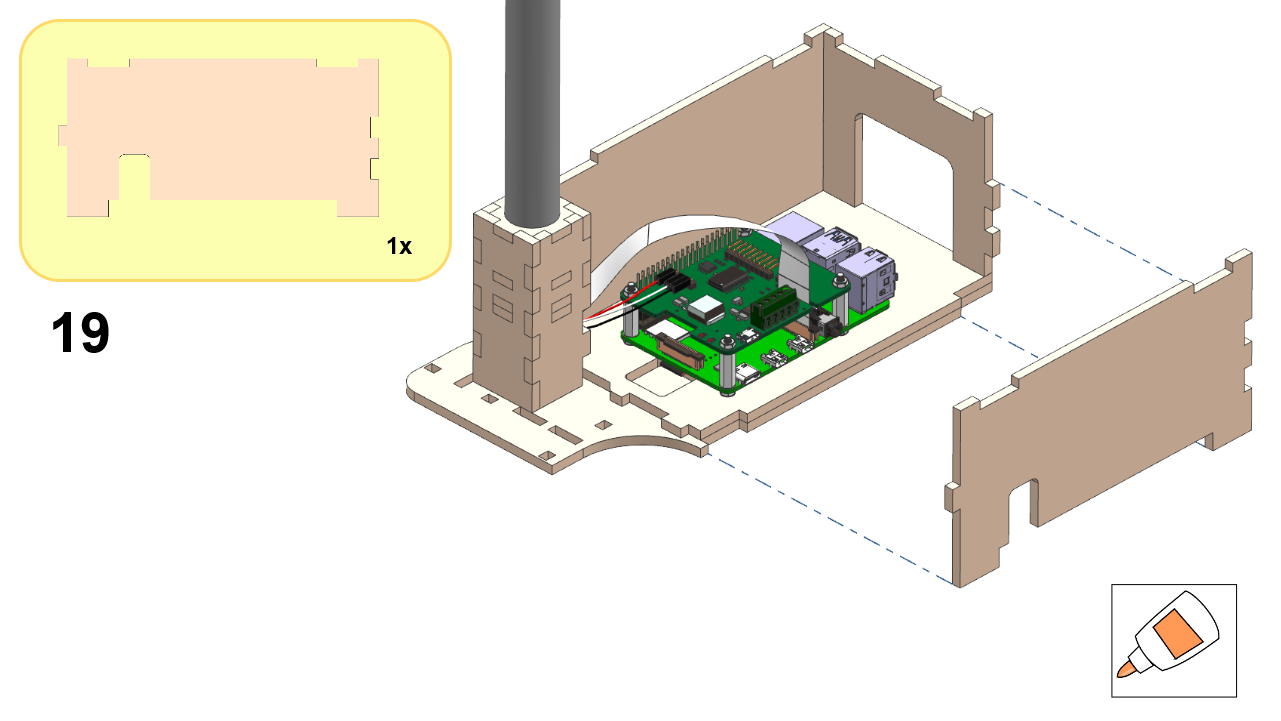
DT21 traffic light assembly, step 19.
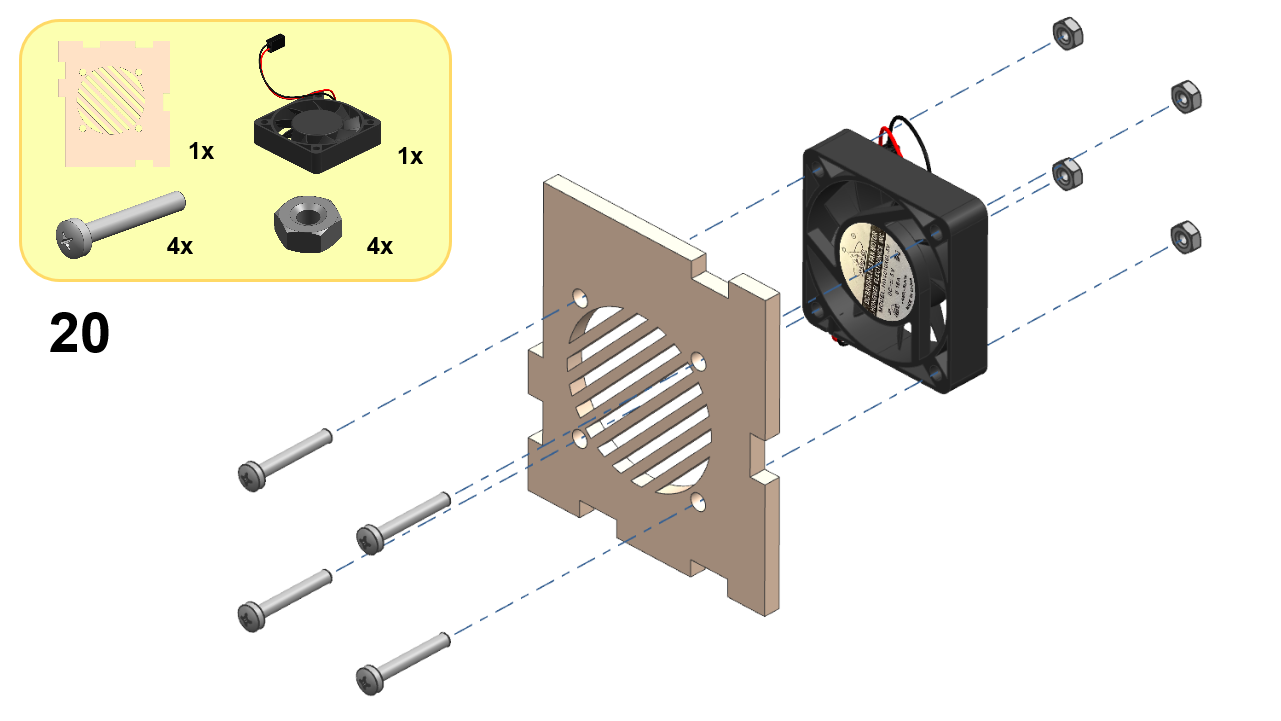
DT21 traffic light assembly, step 20.
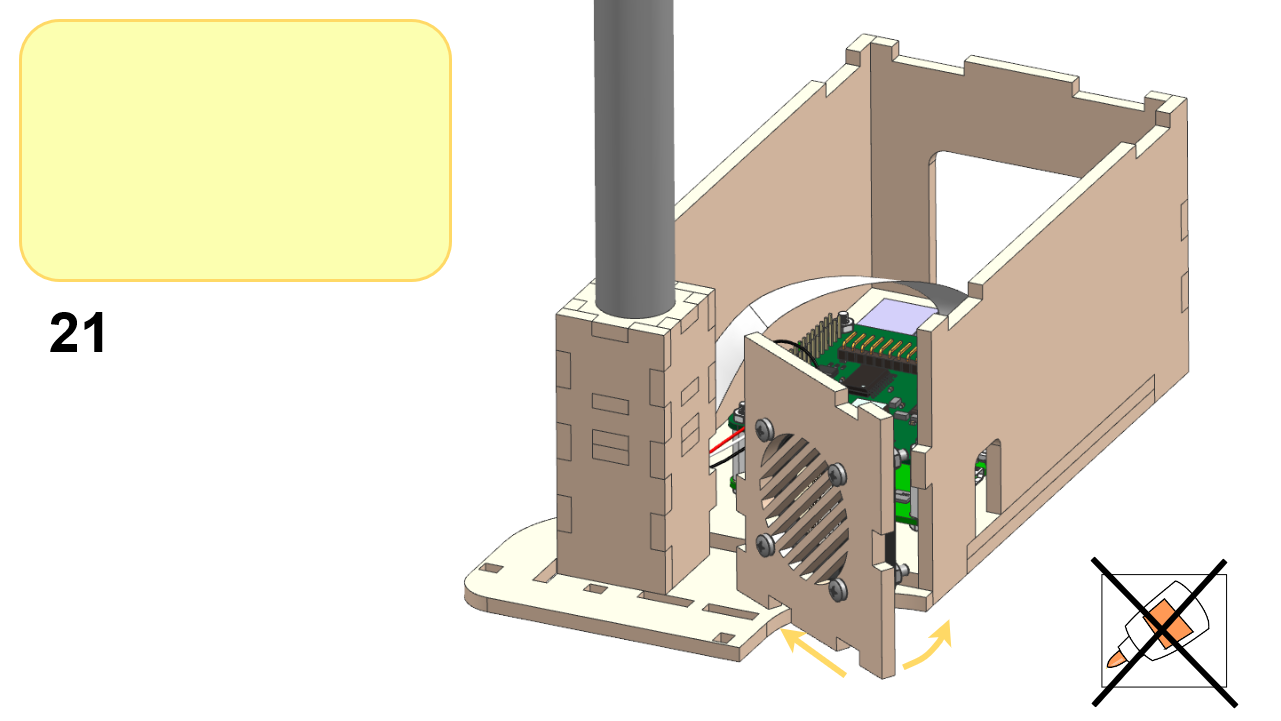
DT21 traffic light assembly, step 21.
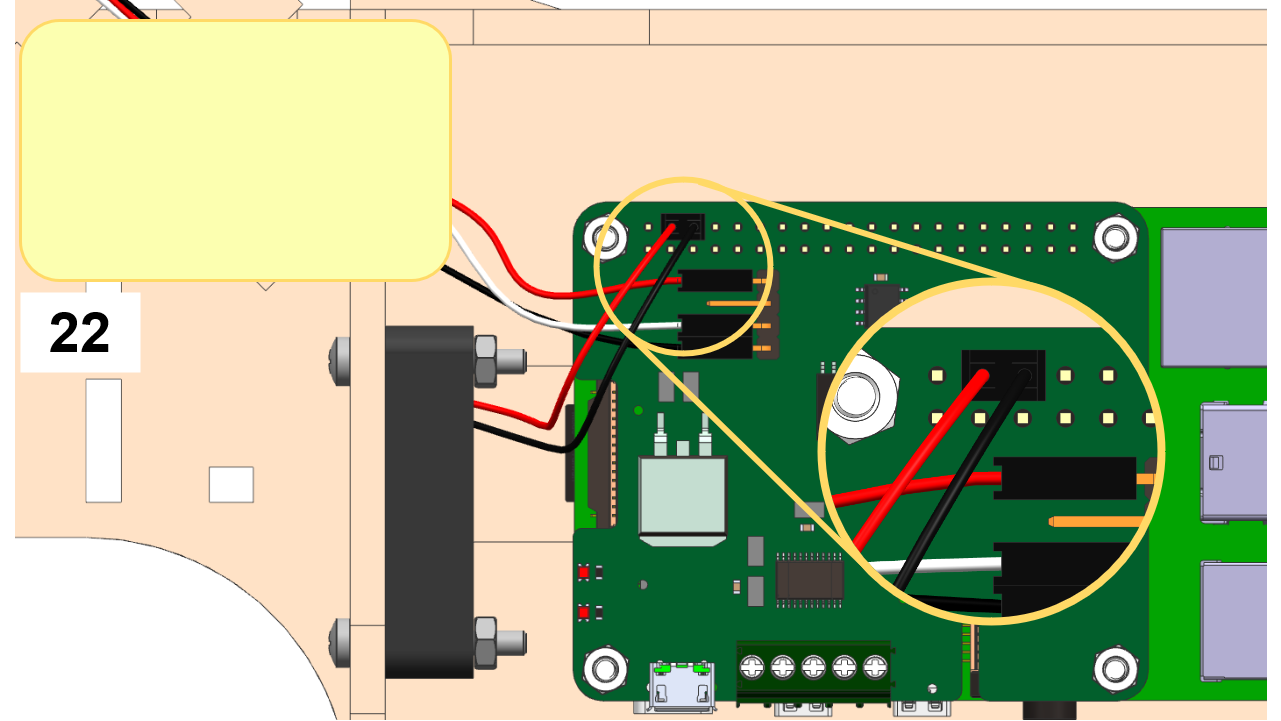
DT21 traffic light assembly, step 22.
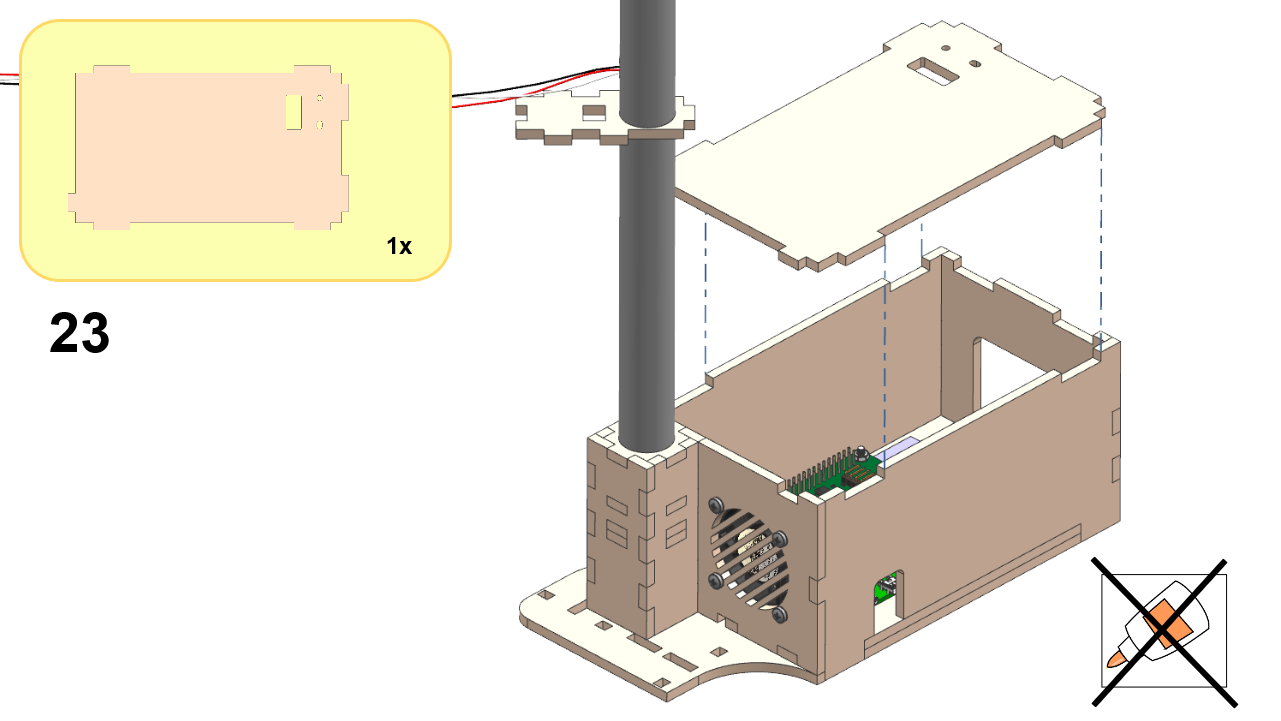
DT21 traffic light assembly, step 23.

Part 3: TL Corner (Attached)#

Assemble the TL Corner by following these steps:
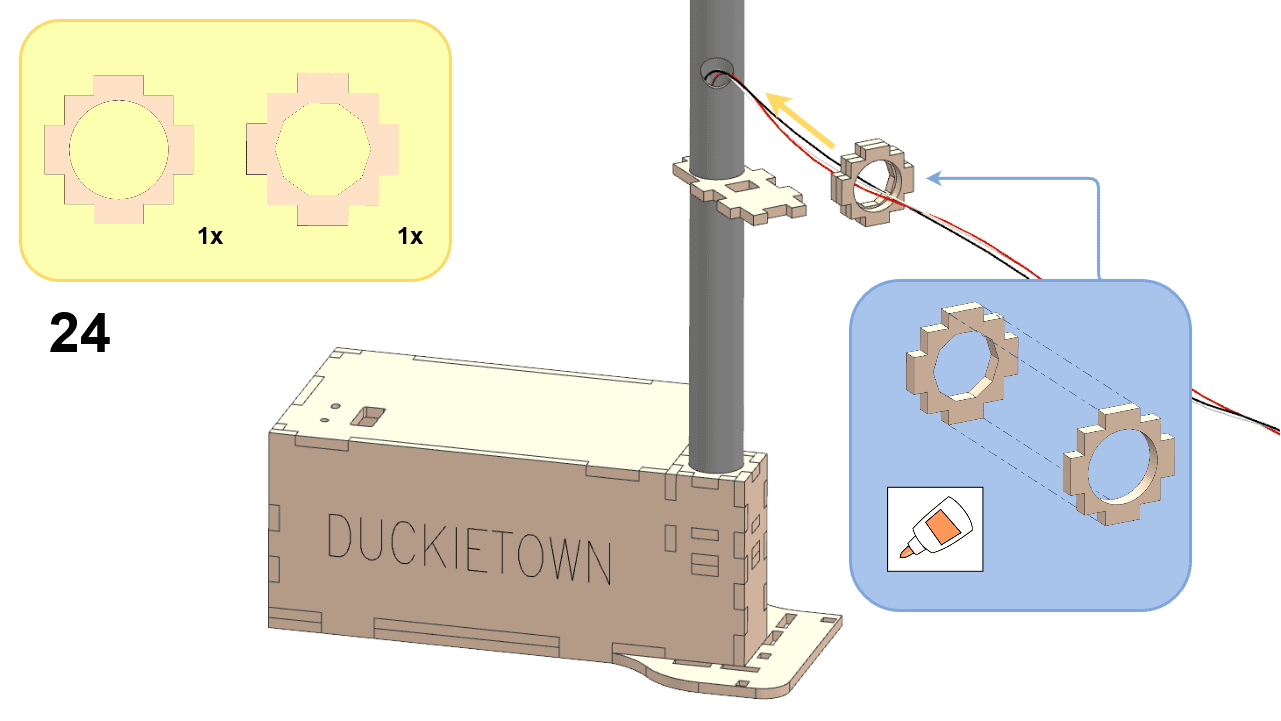
DT21 traffic light assembly, step 24.
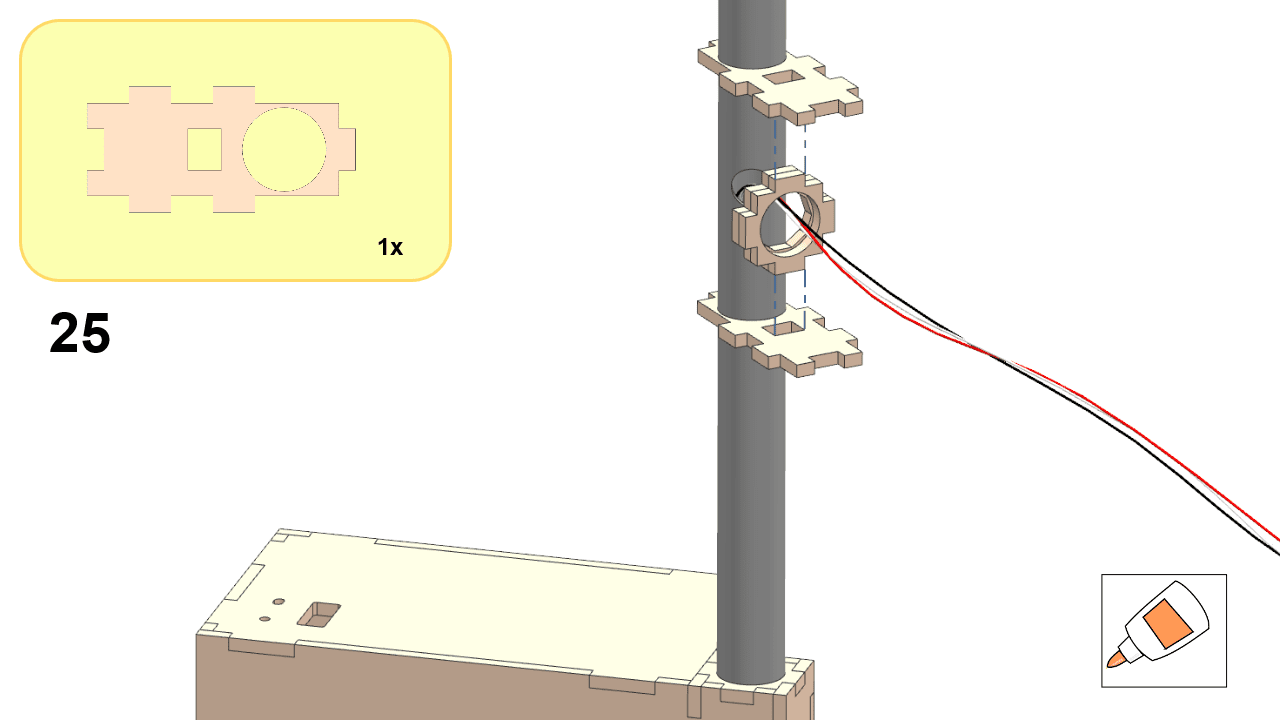
DT21 traffic light assembly, step 25.
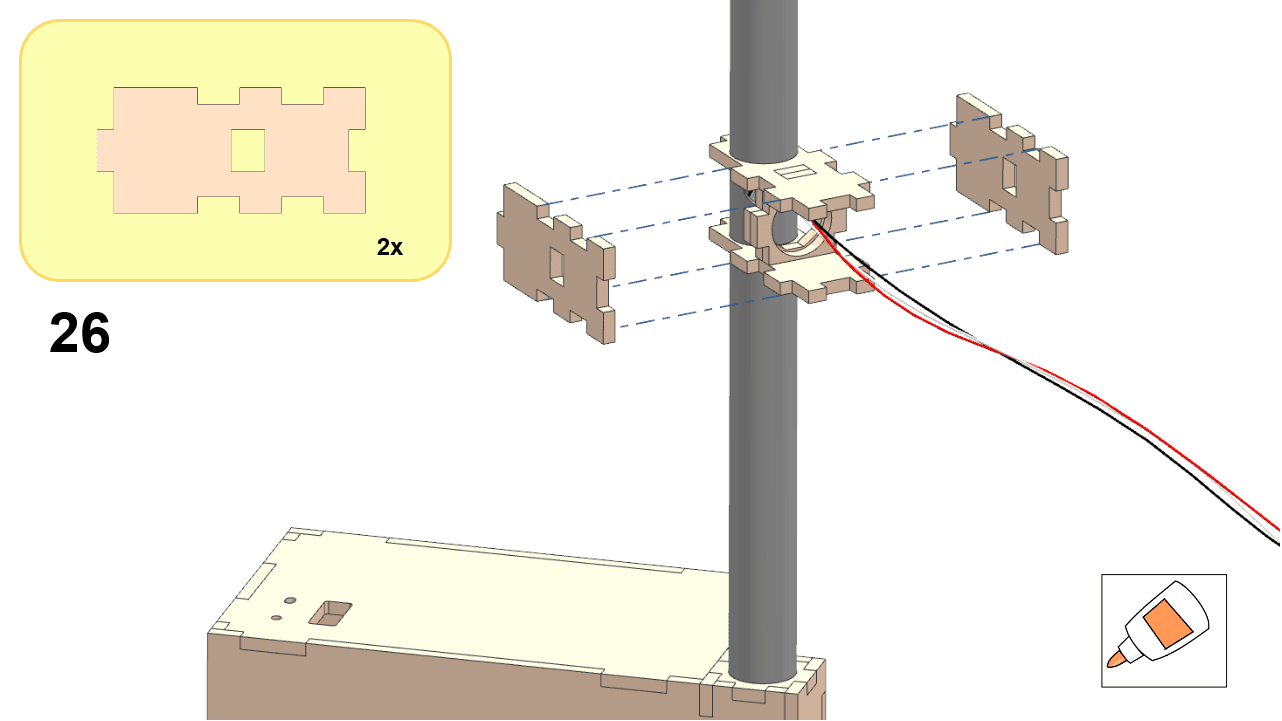
DT21 traffic light assembly, step 26.
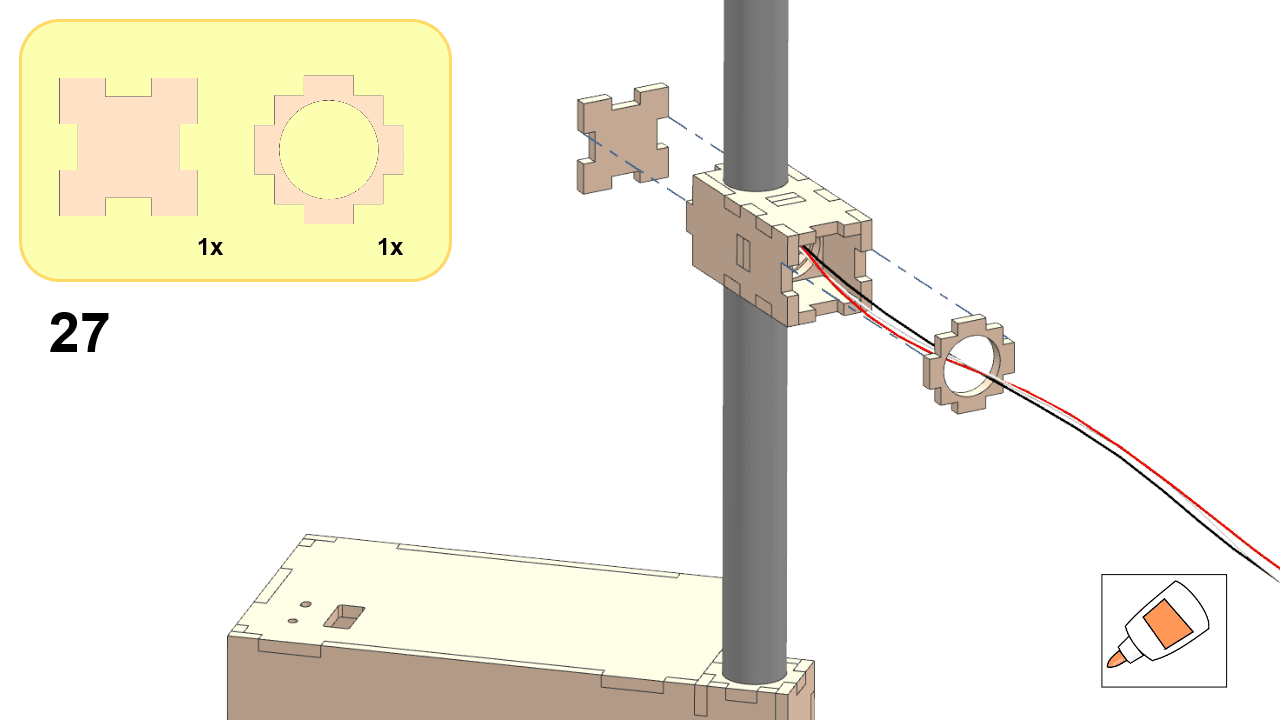
DT21 traffic light assembly, step 27.

Part 4: Camera Housing#

Assemble the camera housing as shown below:
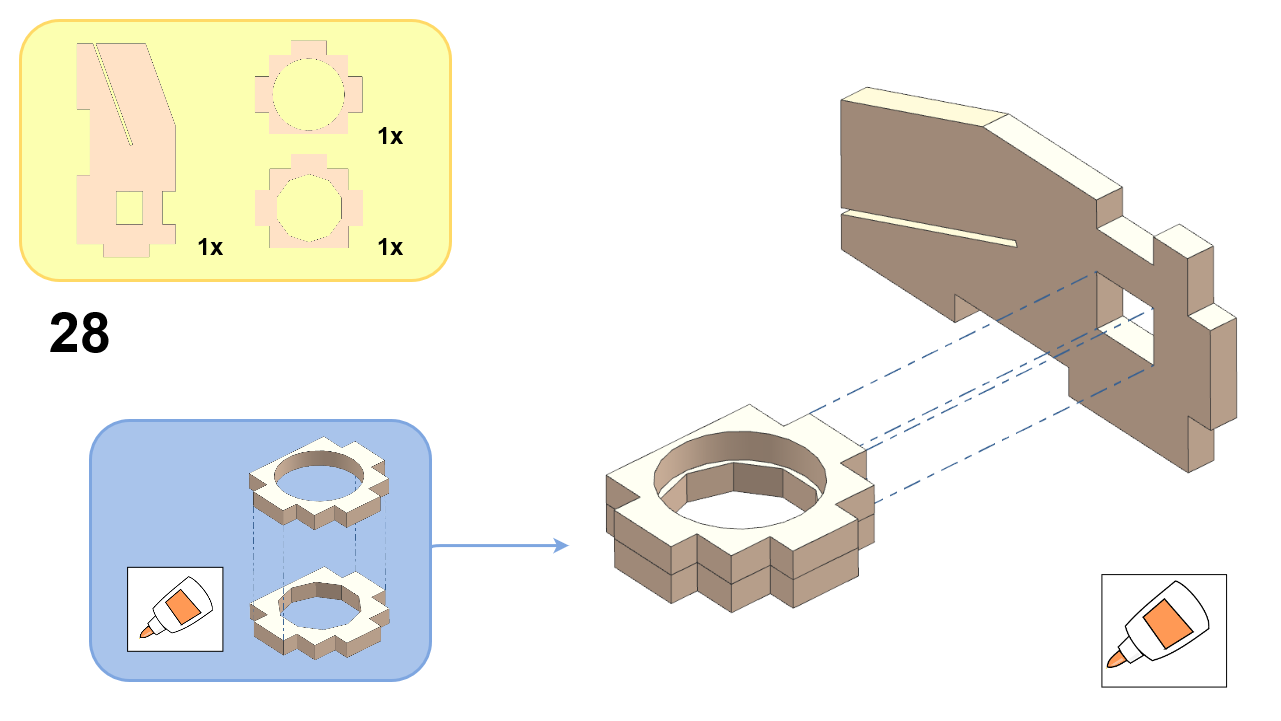
DT21 traffic light assembly, step 28.
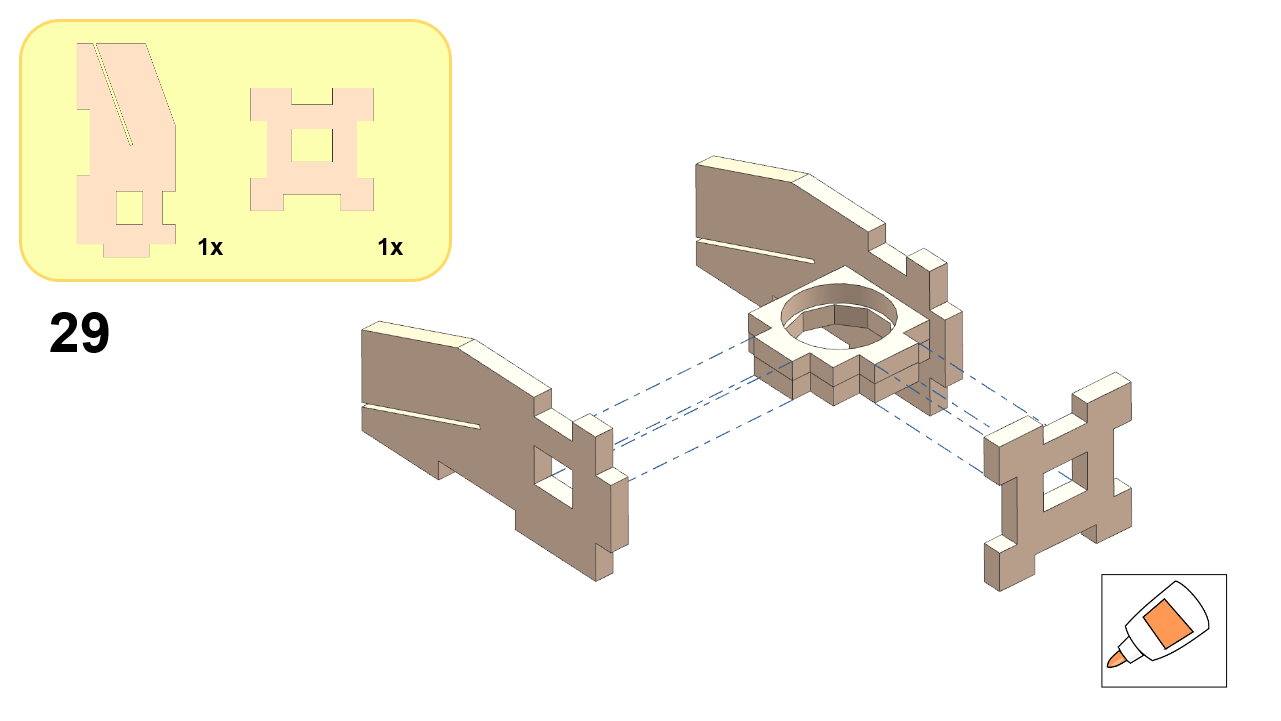
DT21 traffic light assembly, step 29.
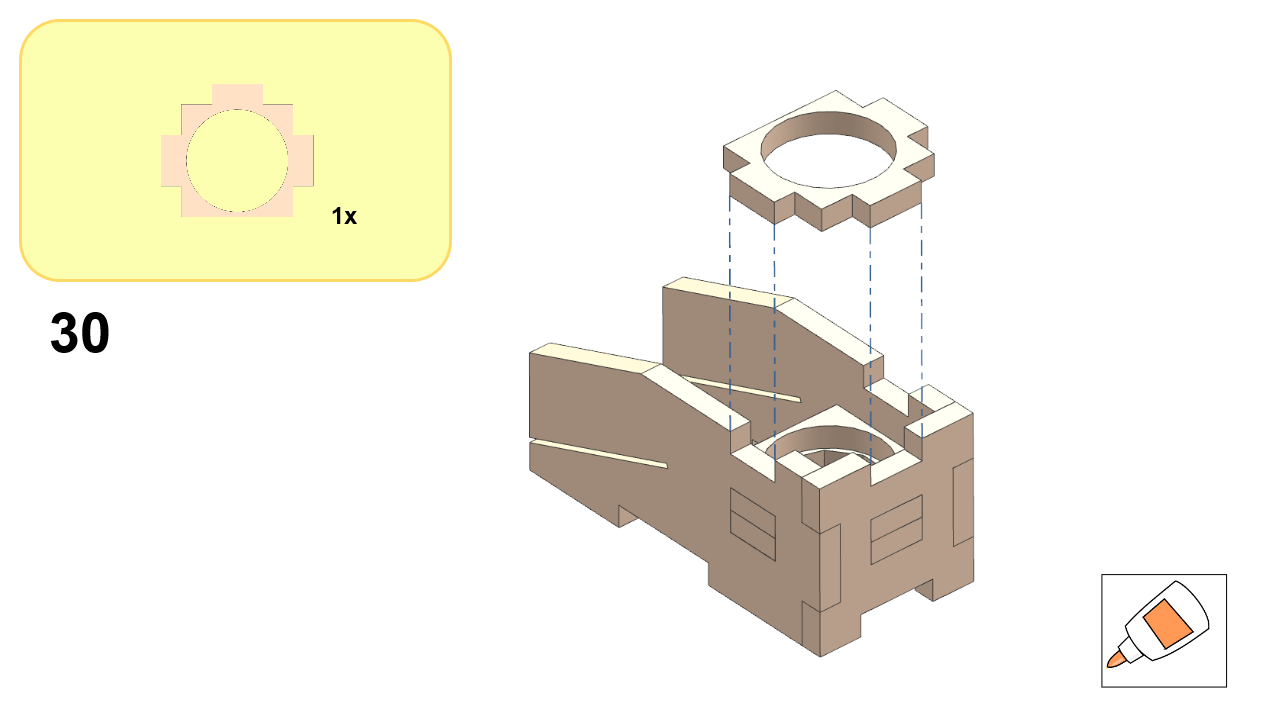
DT21 traffic light assembly, step 30.
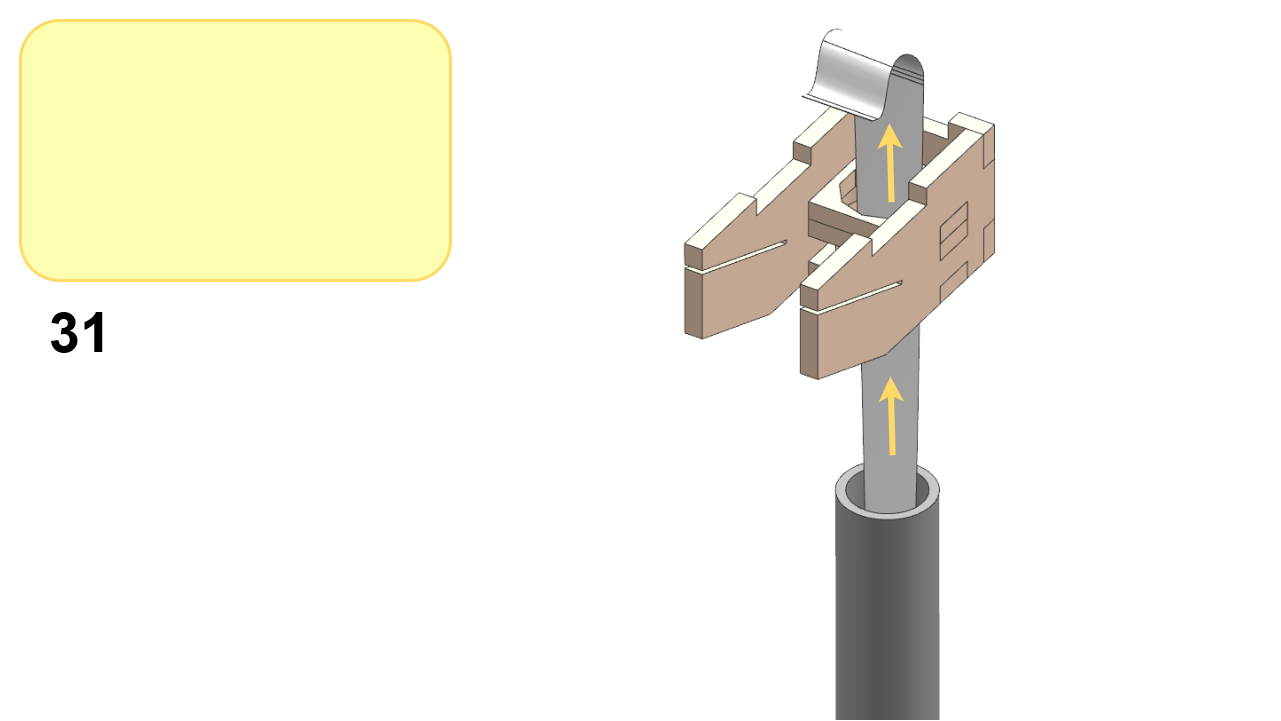
DT21 traffic light assembly, step 31.
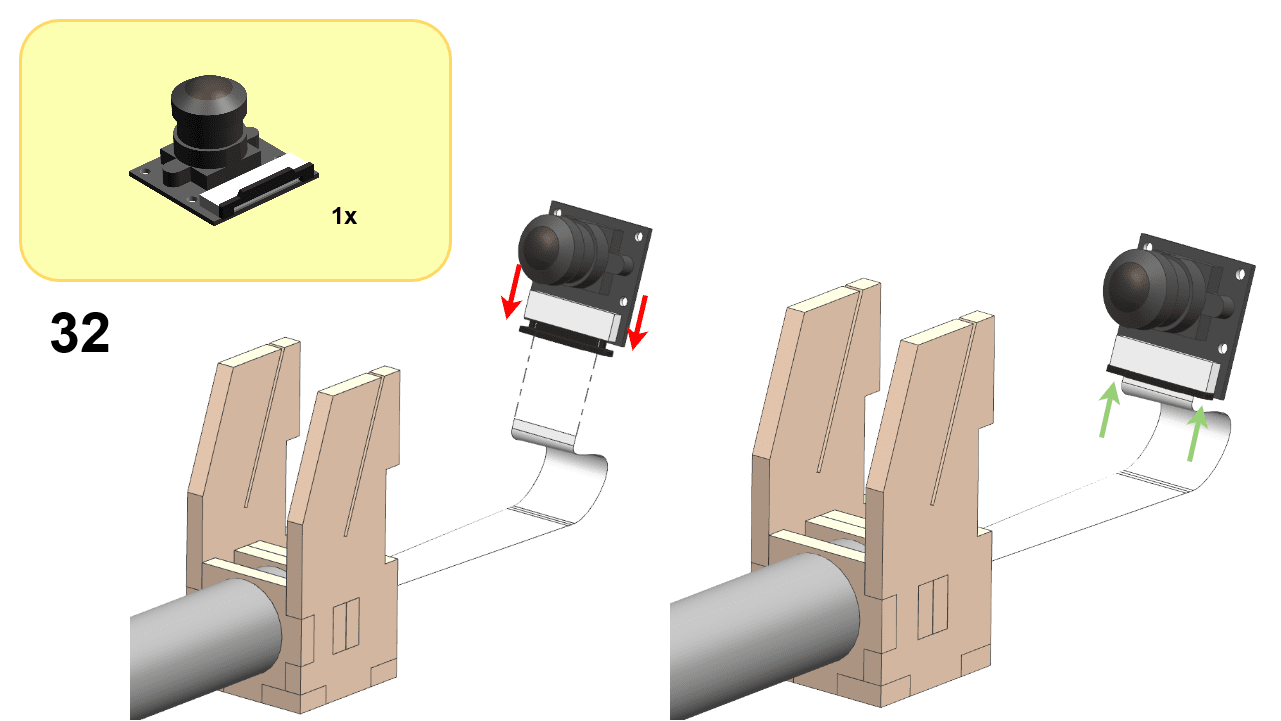
DT21 traffic light assembly, step 32.
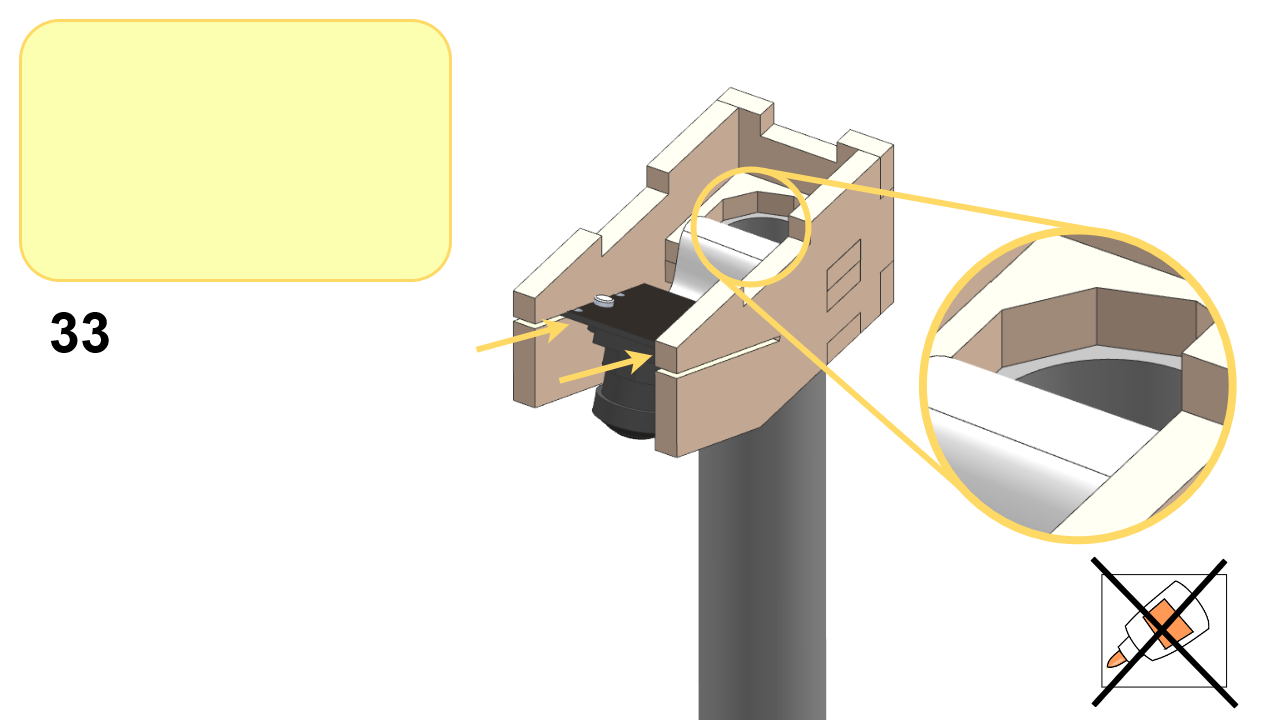
DT21 traffic light assembly, step 33.
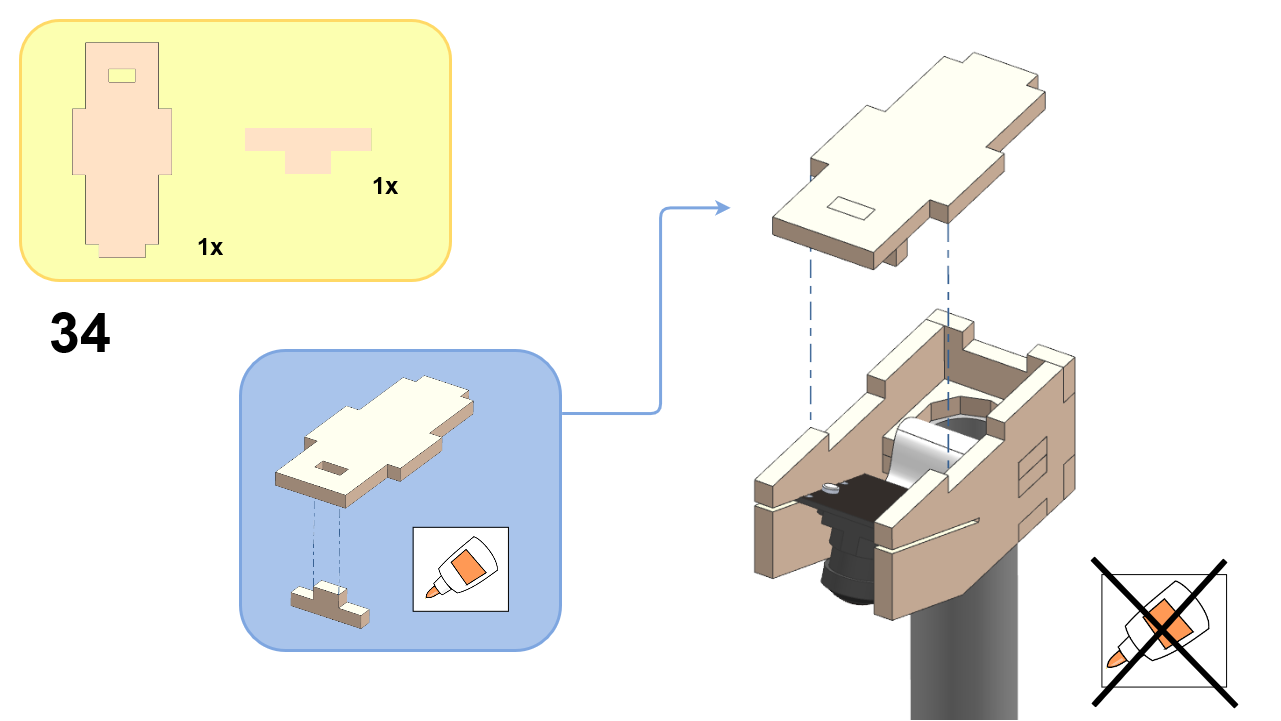
DT21 traffic light assembly, step 34.

Part 5: TL Base#

Assemble the TL Base as follows:
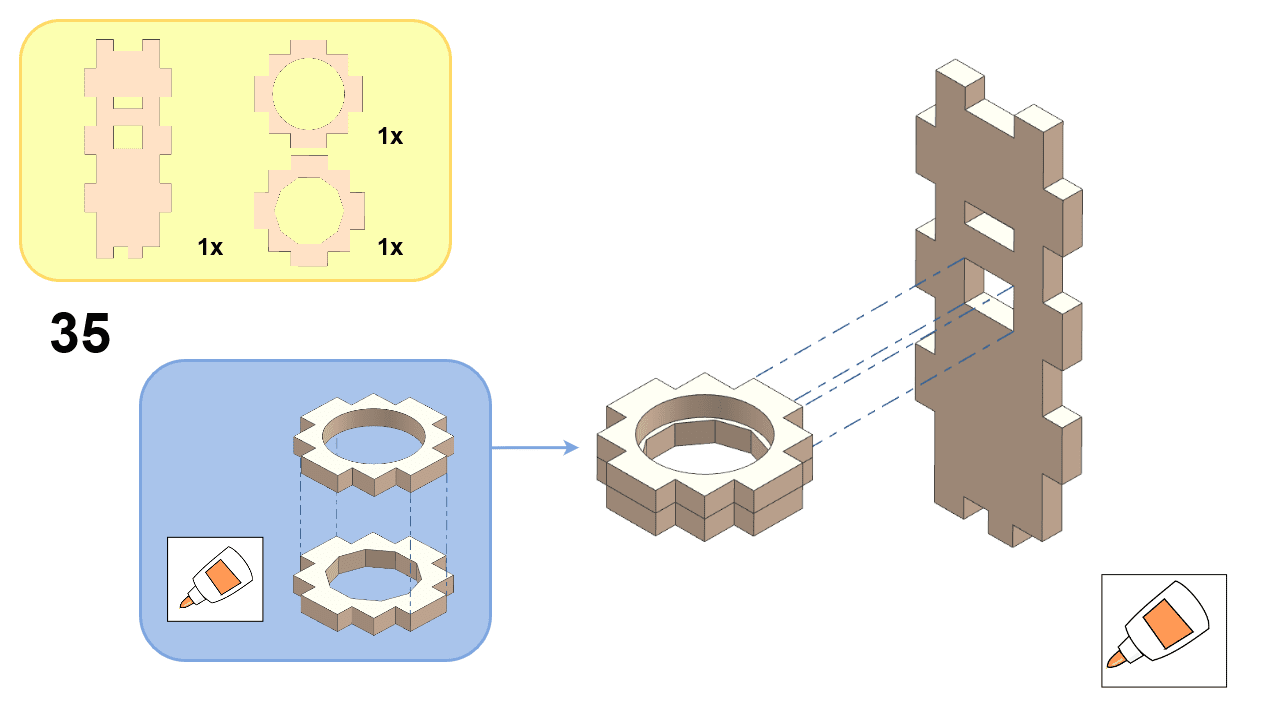
DT21 traffic light assembly, step 35.
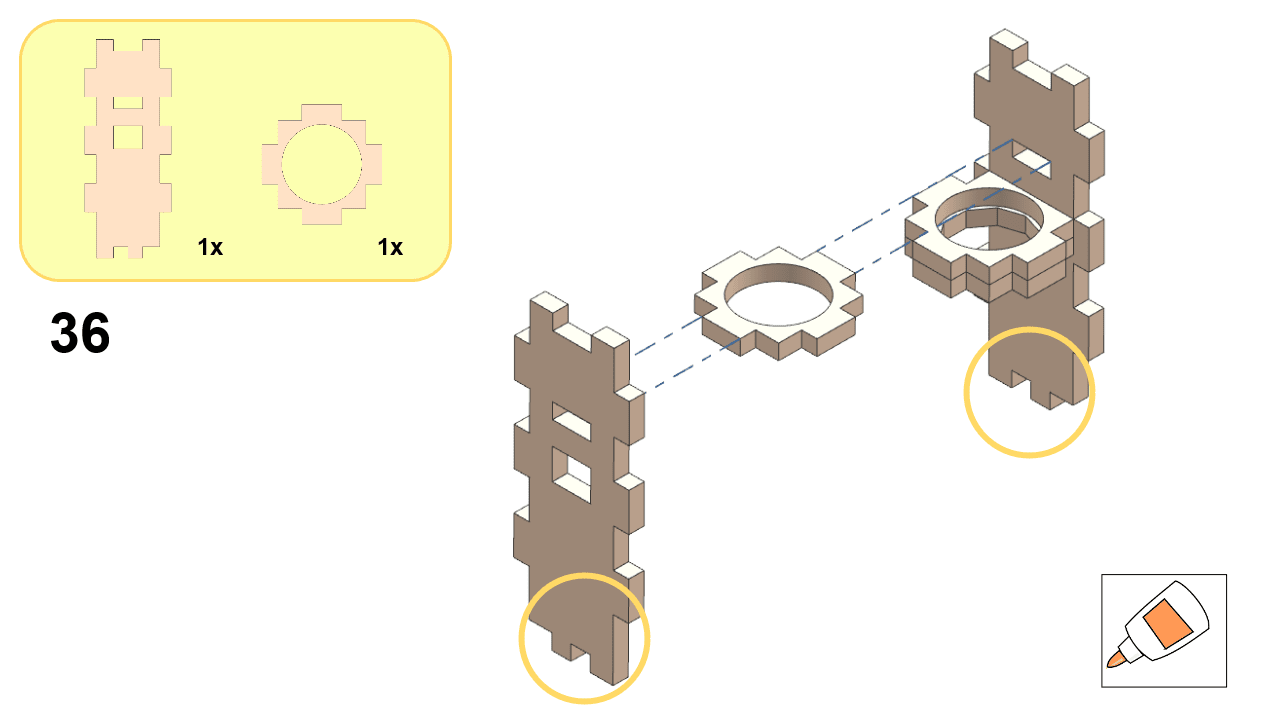
DT21 traffic light assembly, step 36.
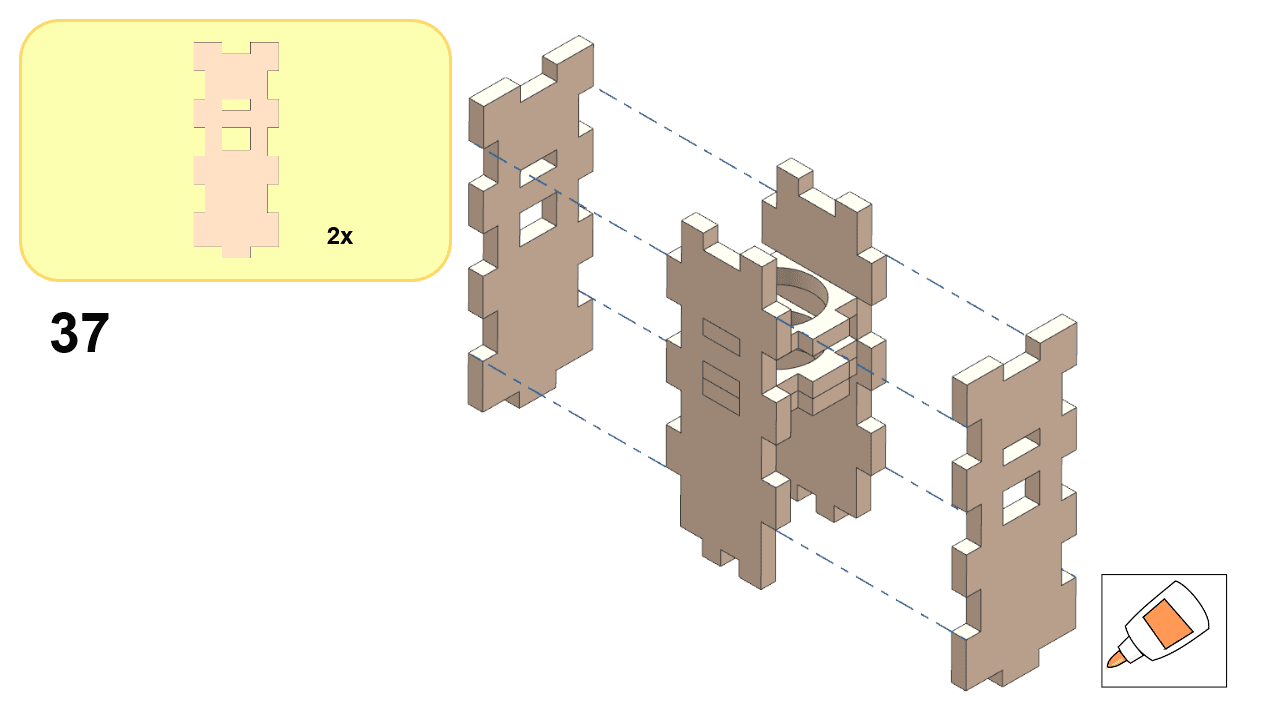
DT21 traffic light assembly, step 37.
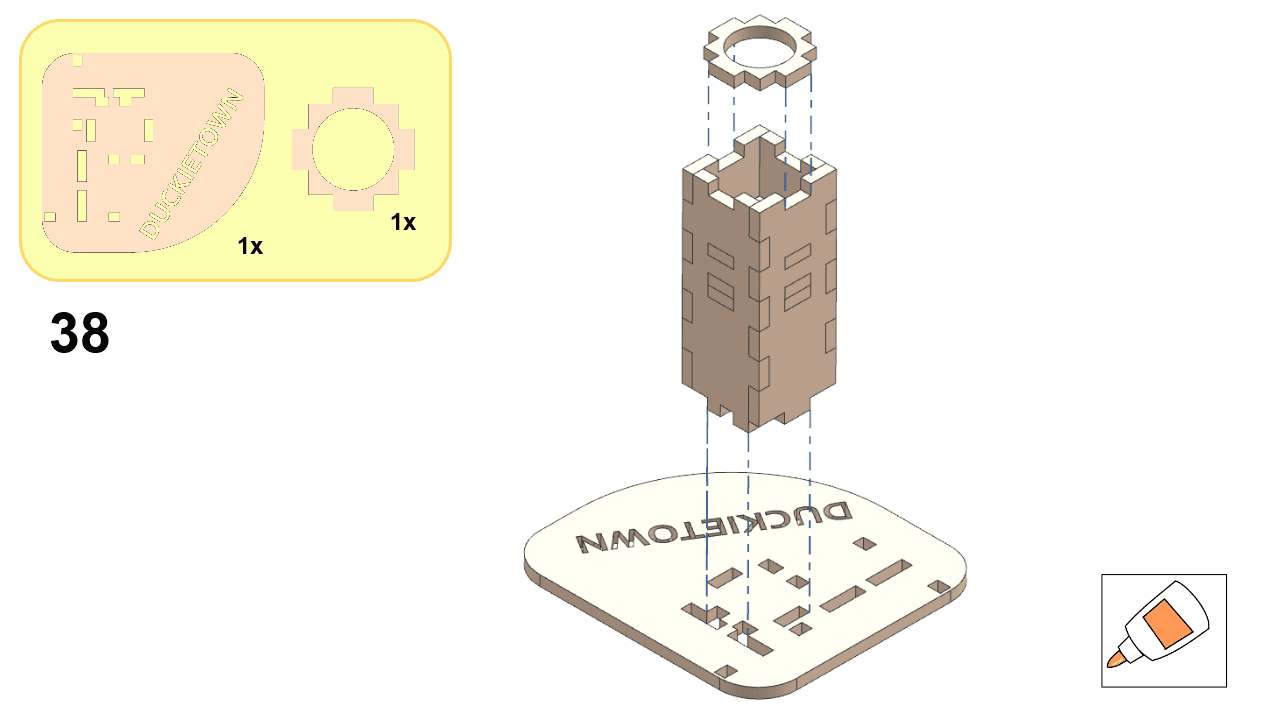
DT21 traffic light assembly, step 38.
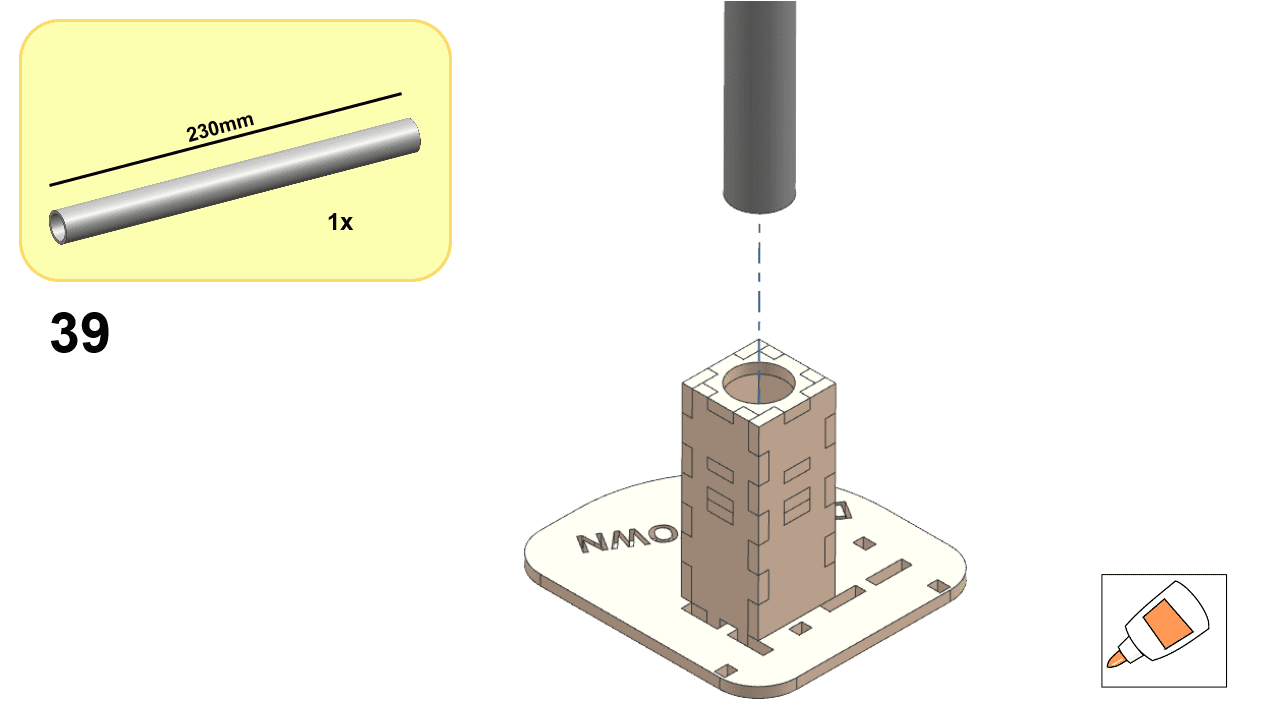
DT21 traffic light assembly, step 39.

Part 6: TL Corner (Single)#

Follow these steps to assemble a single TL Corner:
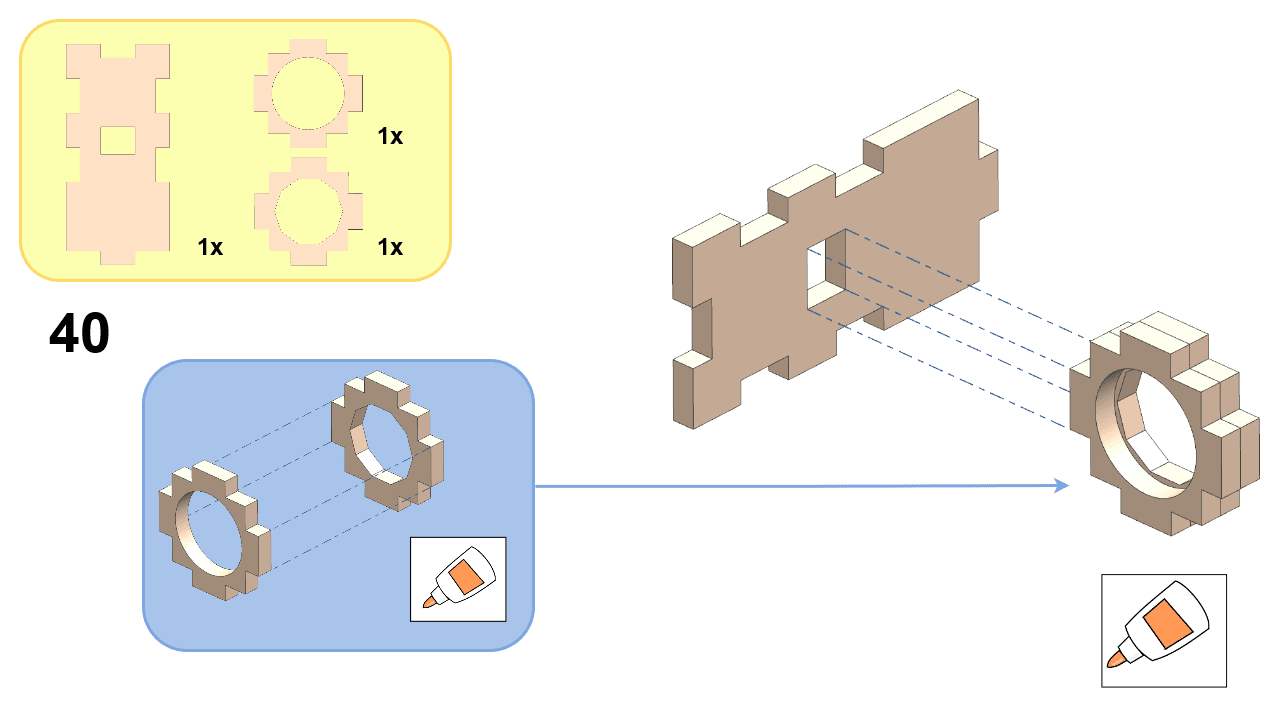
DT21 traffic light assembly, step 40.
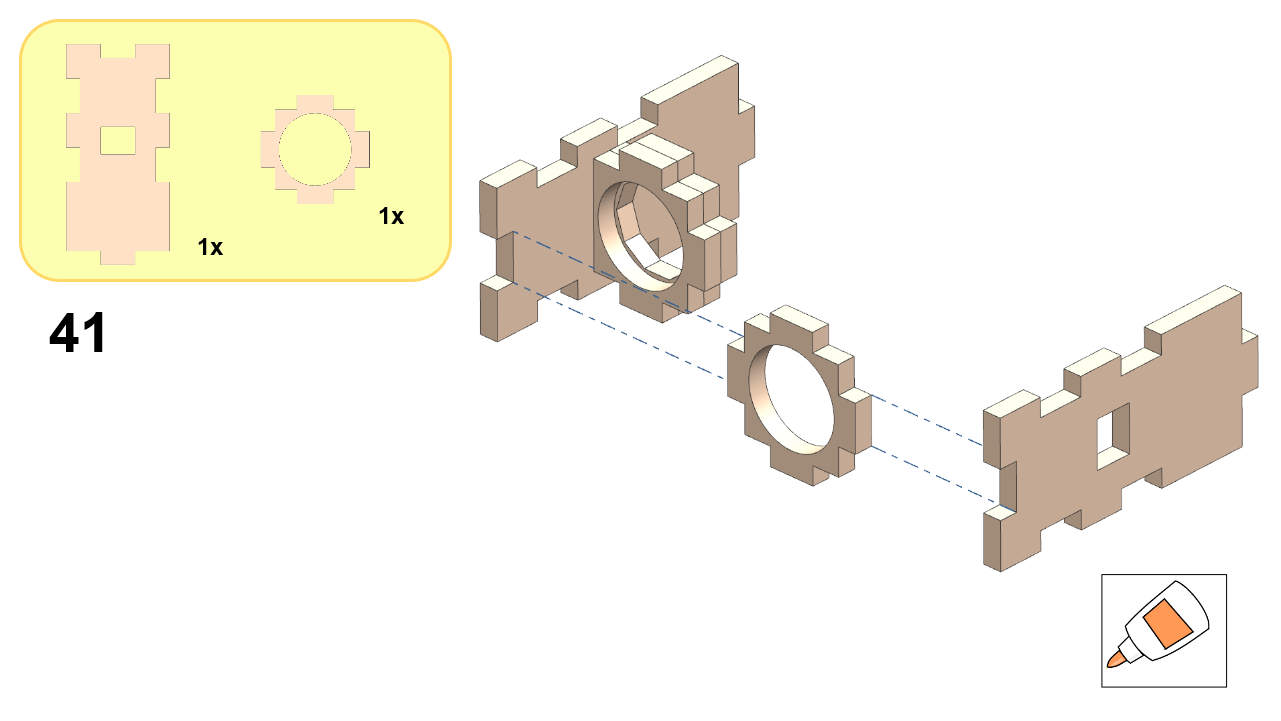
DT21 traffic light assembly, step 41.
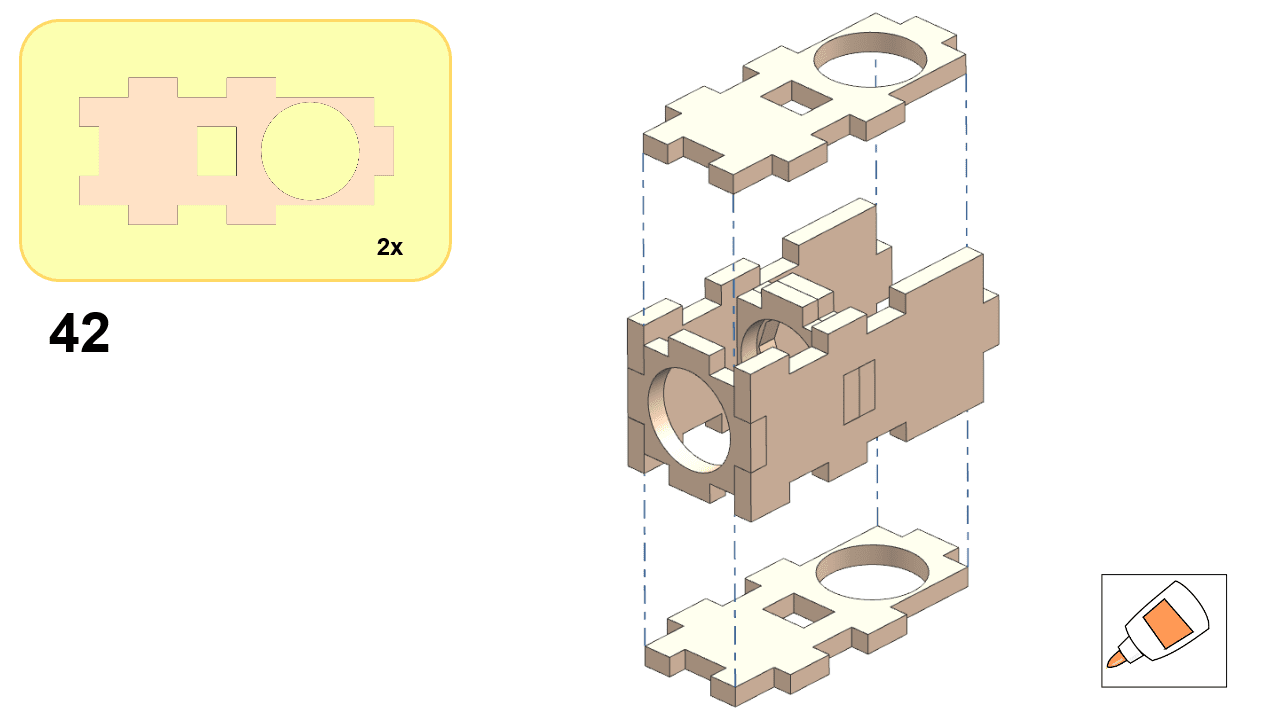
DT21 traffic light assembly, step 42.
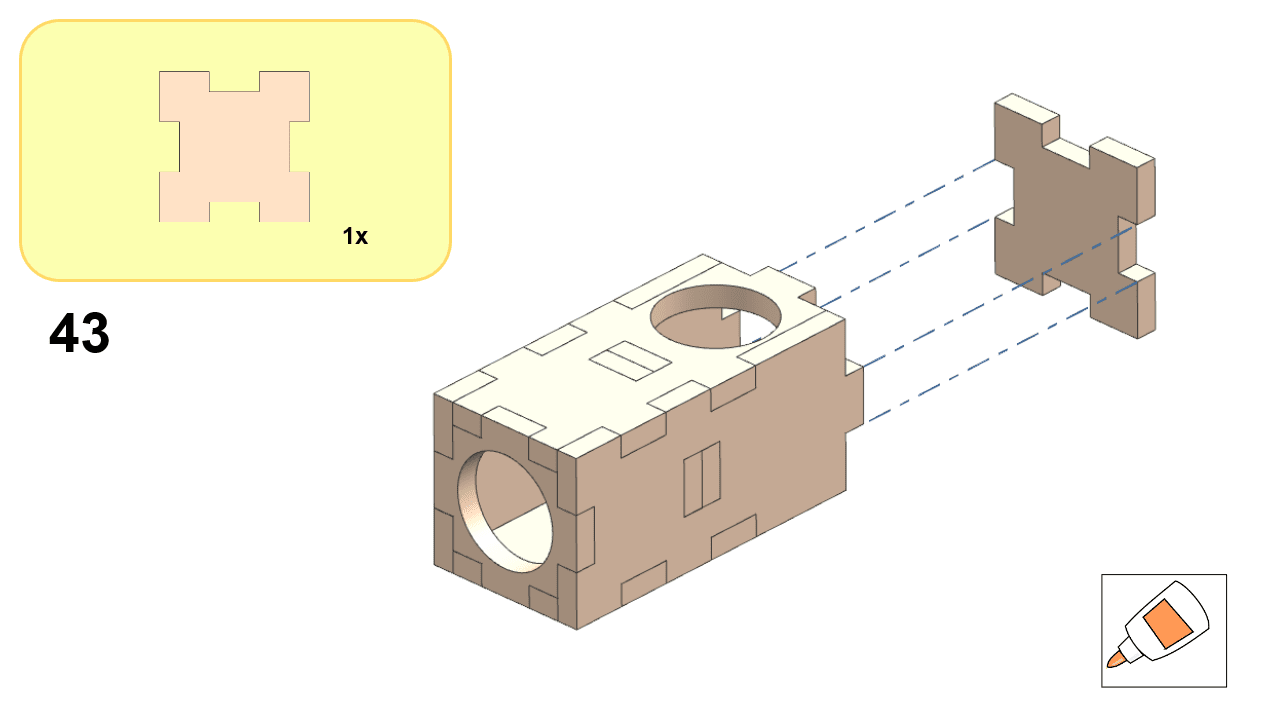
DT21 traffic light assembly, step 43.
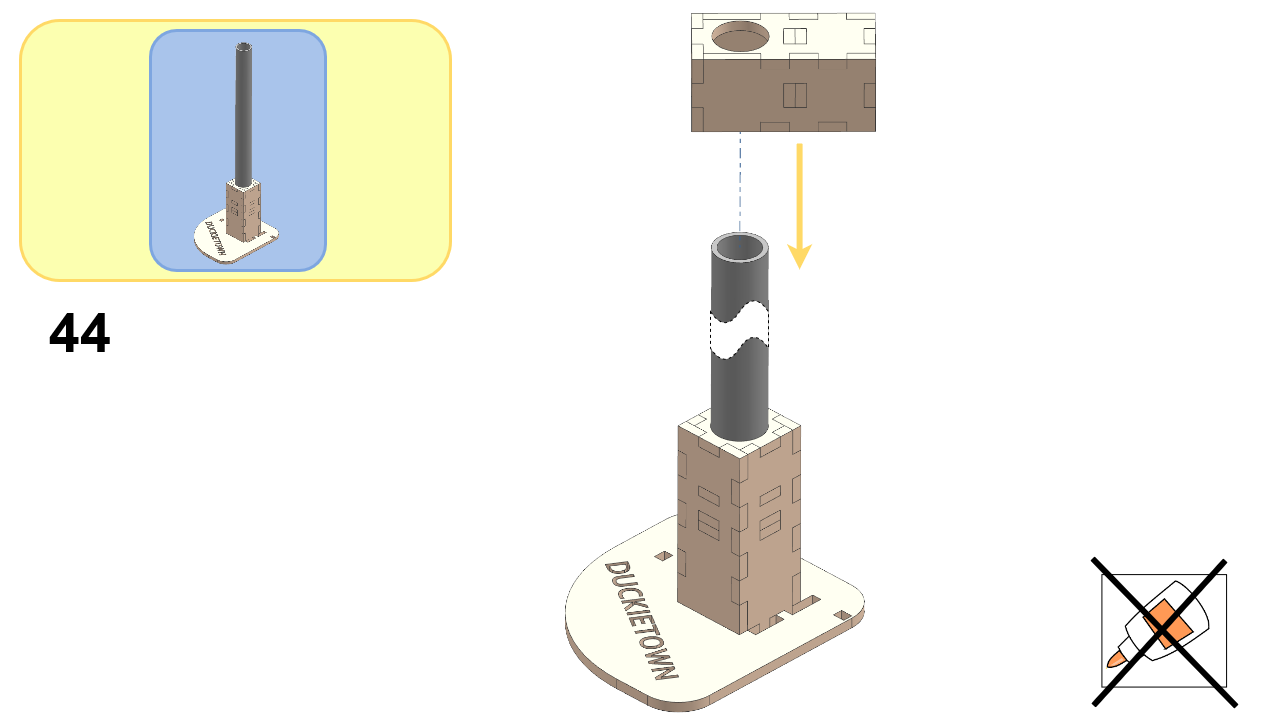
DT21 traffic light assembly, step 44.

Part 7: LED Housing#

Install the LED housing by following these steps:
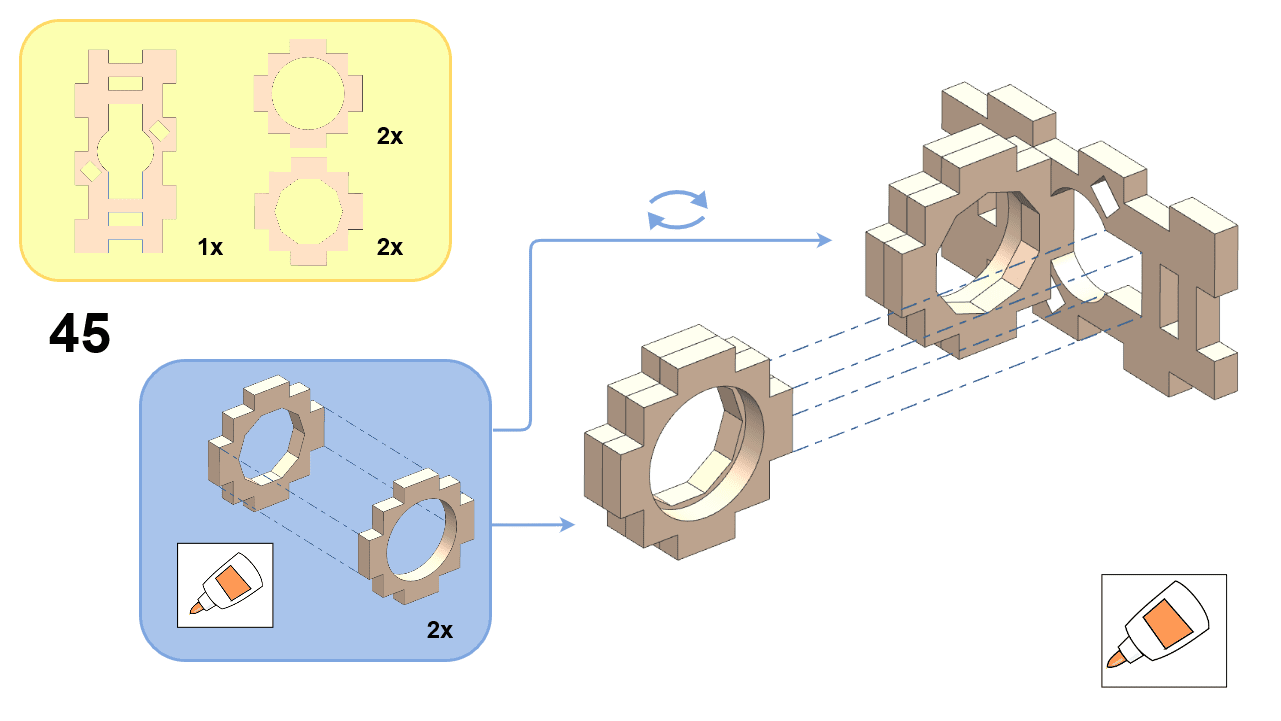
DT21 traffic light assembly, step 45.
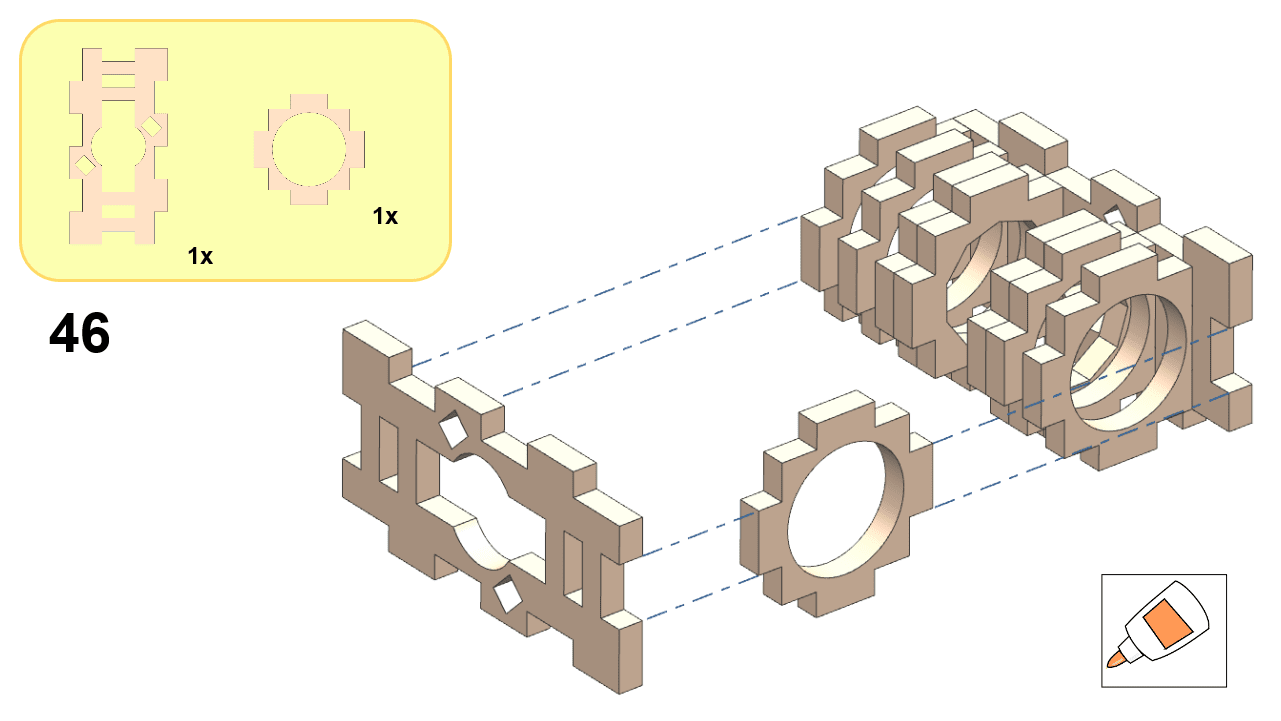
DT21 traffic light assembly, step 46.
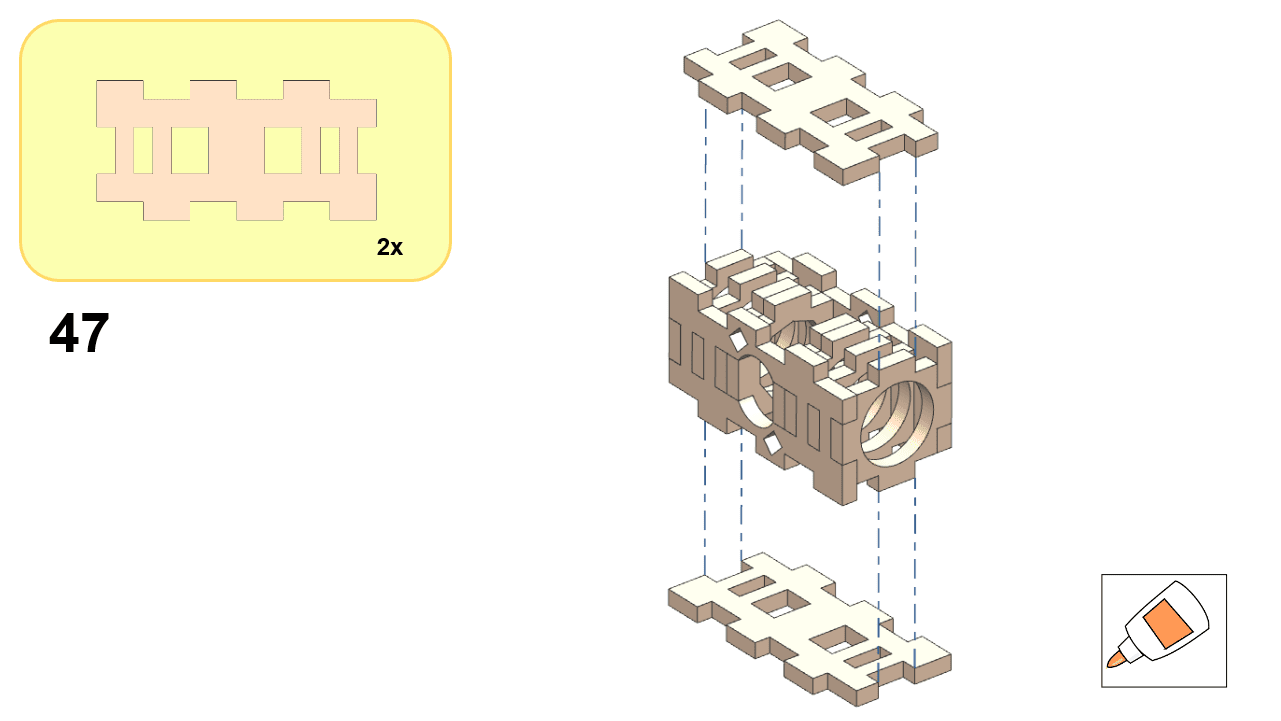
DT21 traffic light assembly, step 47.
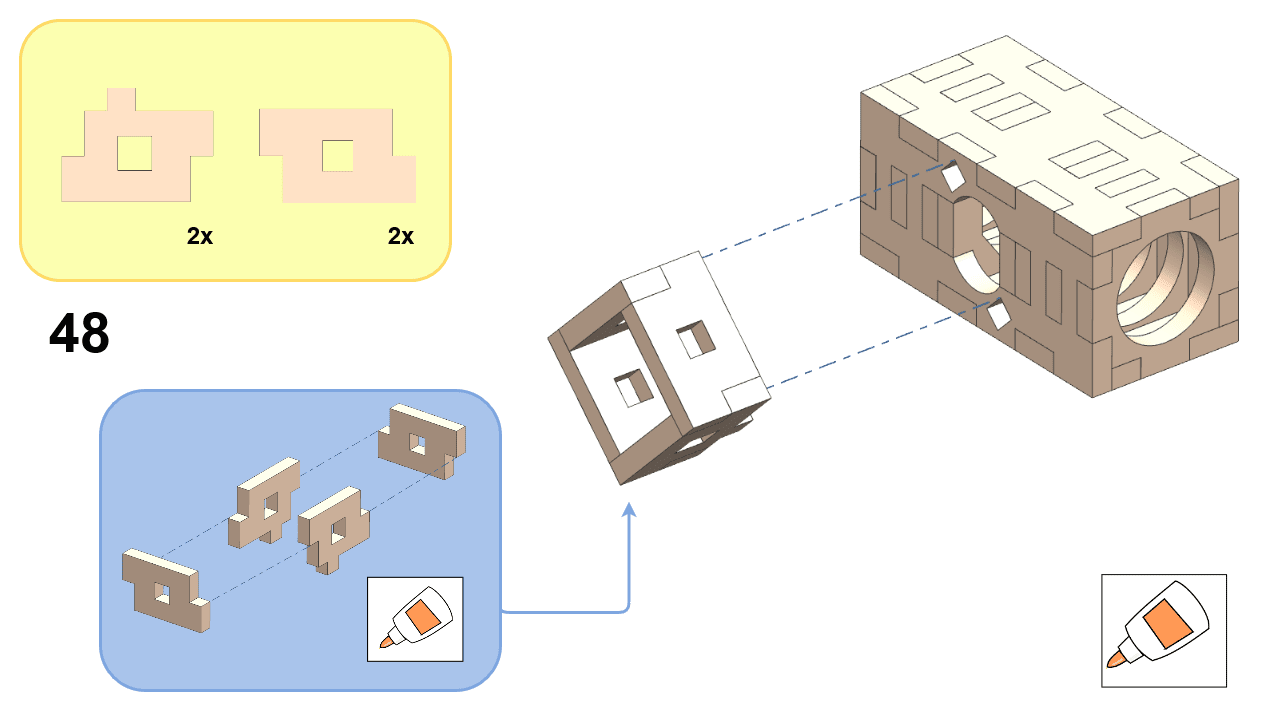
DT21 traffic light assembly, step 48.

Part 8: Complete Assembly#

Once all components are assembled, you should have a complete traffic light:
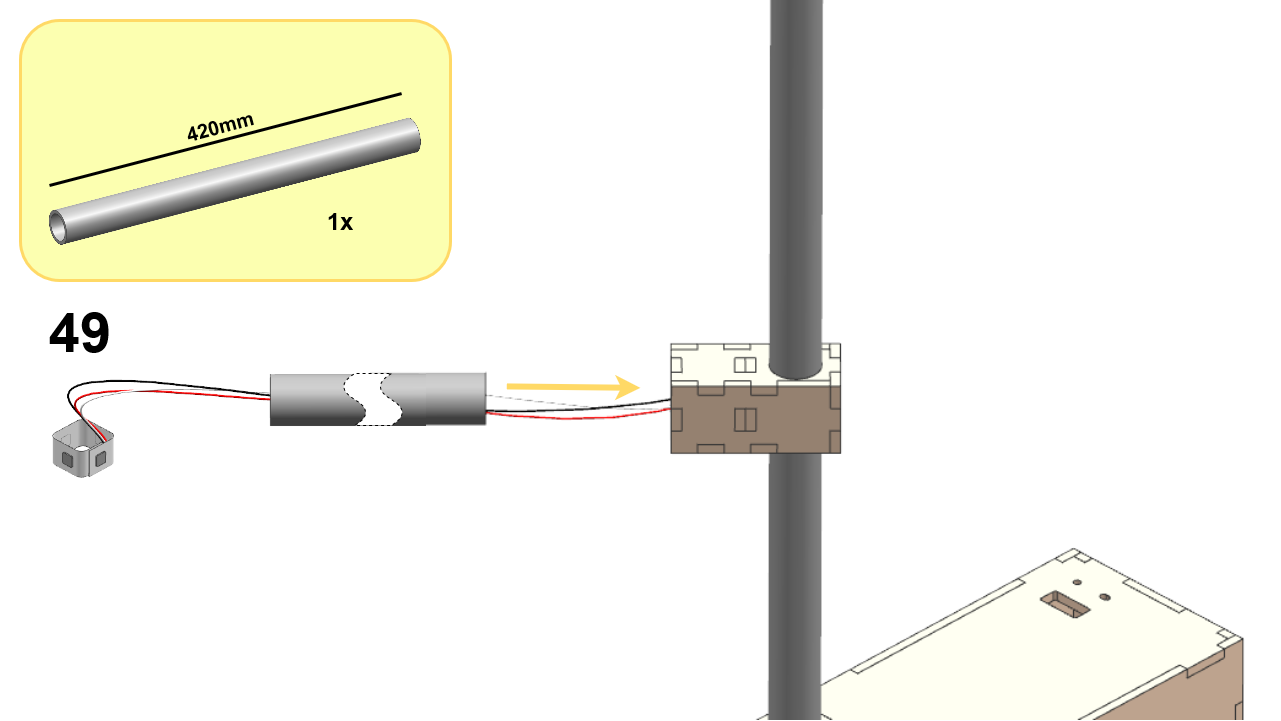
DT21 traffic light assembly, step 49.
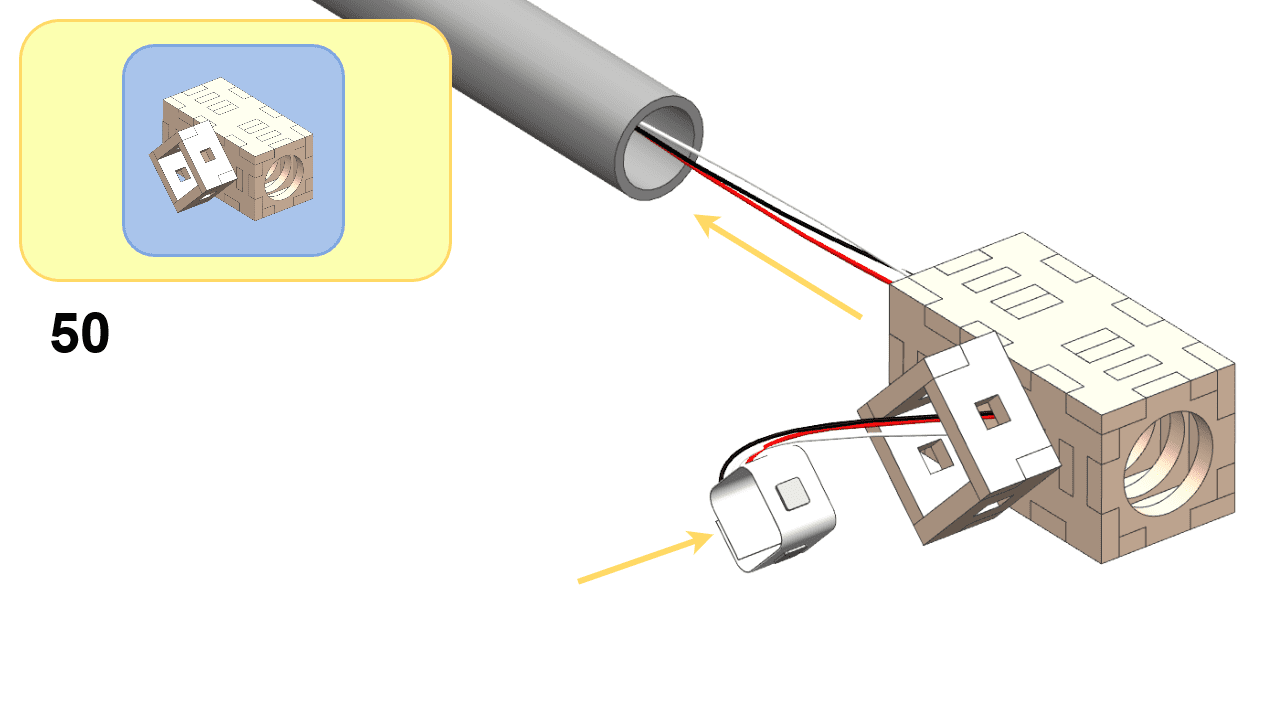
DT21 traffic light assembly, step 50.
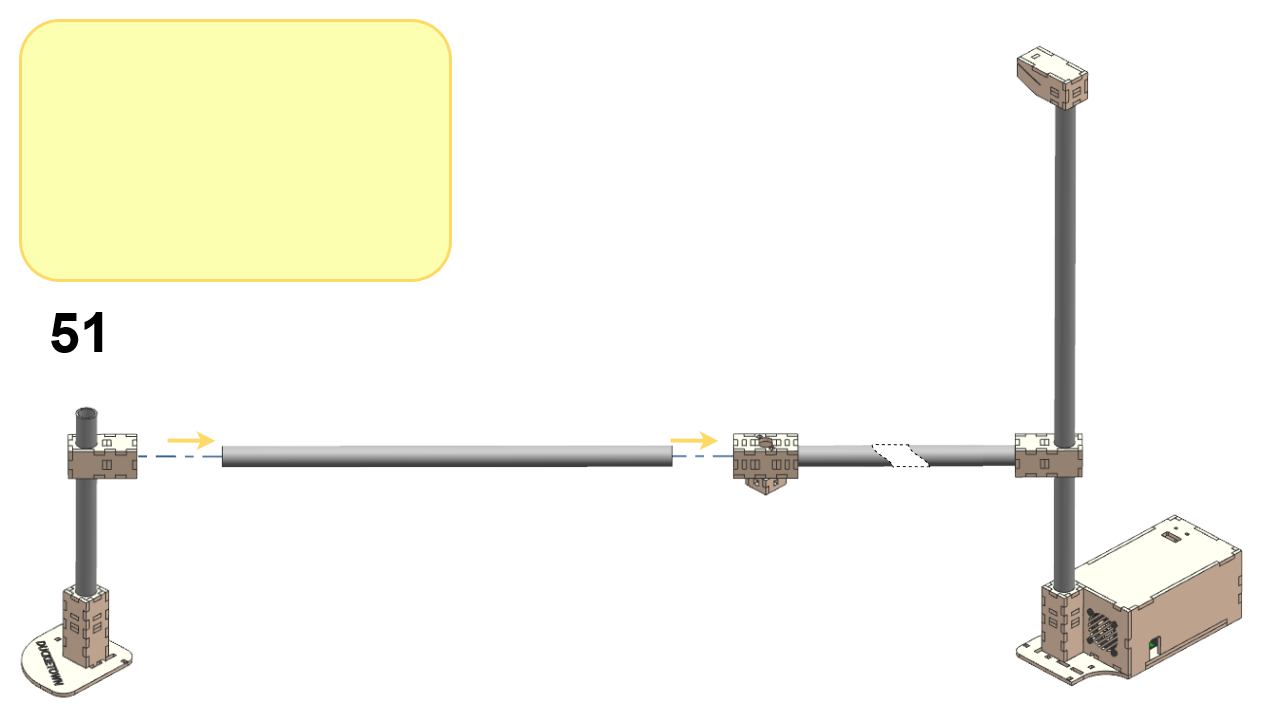
DT21 traffic light assembly, step 51.
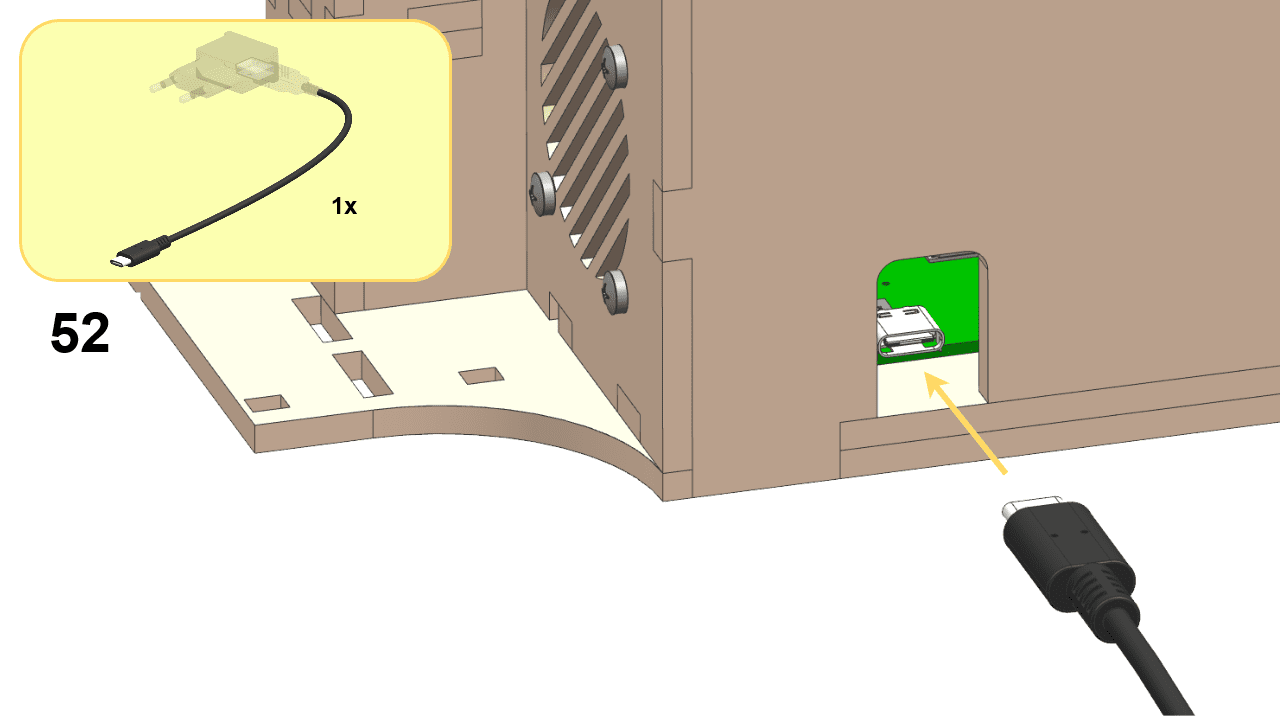
DT21 traffic light assembly, step 52.
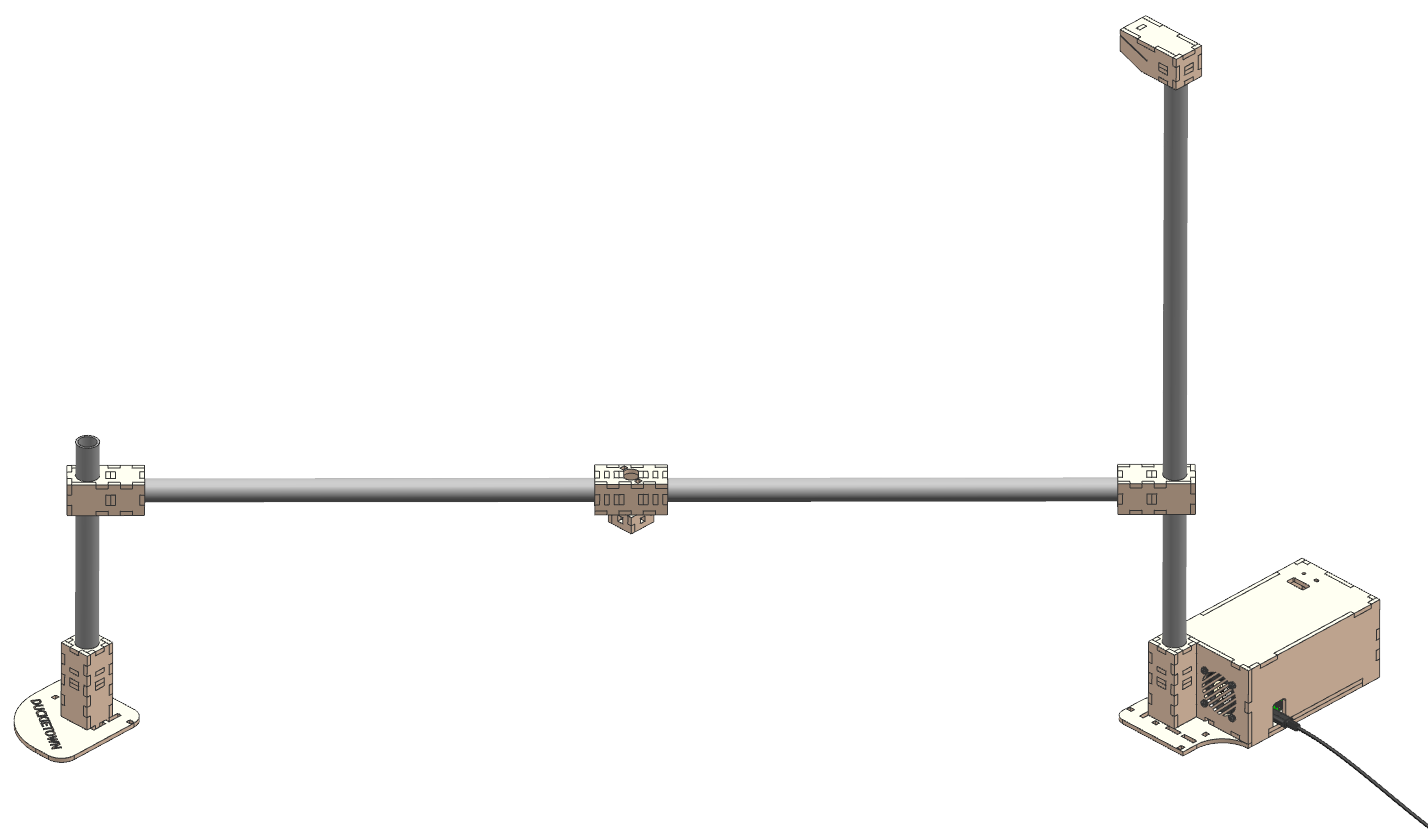
Fully assembled DT21 traffic light.

Fig. 134 Completed DT21 traffic light.#

Congratulations, at this point you have completed the traffic light.